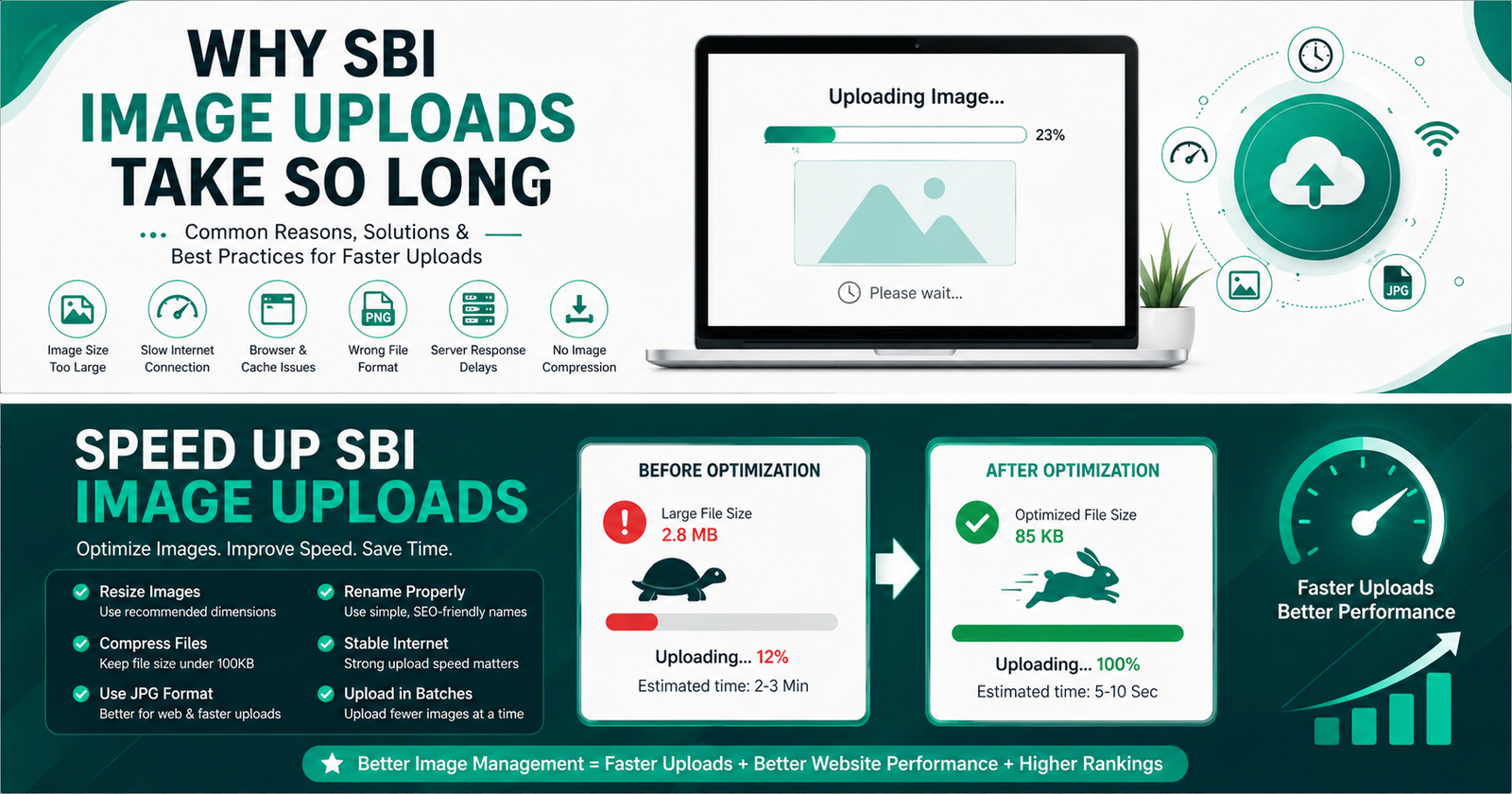
Why SBI Image Uploads Take So Long (And How to Fix It in Minutes)
Frustrated with slow SBI image uploads? You’re not alone. Many Solo Build It users spend hours — sometimes entire days — uploading and optimizing images for their sites. The constant battle with the 100KB limit, failed uploads, manual resizing, and one-by-one processing kills productivity and delays content publishing.
In this in-depth guide, you’ll understand exactly why SBI image uploads take so long and discover practical solutions. Most importantly, you’ll learn how Bulk Snap from SBISnap.com completely eliminates this frustration by automating the entire image optimization workflow for Solo Build It users.
The Real Reasons SBI Image Uploads Are Painfully Slow
Solo Build It’s Image Library is powerful, but it comes with strict rules designed for performance. Every image must be under 100KB, which creates several bottlenecks:
- Strict 100KB File Size Limit: Most original photos are 2MB–15MB, requiring heavy manual compression.
- One-by-One Upload Process: SBI doesn’t support true bulk uploading of unoptimized images.
- Manual Resizing & Renaming: You must optimize dimensions, compress, and create SEO filenames yourself.
- Alt Text Writing: Each image needs proper descriptions for SEO and accessibility.
- Upload Failures & Retries: Images slightly over 100KB get rejected, forcing you to start over.
These constraints turn what should be a 10-minute task into a multi-hour ordeal.
Bulk Snap Solution: Process hundreds of images in minutes — perfectly sized, named, and ready for SBI.
The True Impact of Slow Image Uploads on Your SBI Business
When image uploads take forever, it affects everything:
- Content publishing slows down dramatically
- You publish fewer articles per month
- SEO momentum suffers due to inconsistent updates
- Frustration kills creative motivation
- Time that could be spent on marketing and promotion is wasted
Professional SBI builders know that consistent content creation is key to success — and fast image handling is a critical part of that system.
Common Manual Workflow That Wastes Your Time
Most users follow this painful routine:
- Take or download raw images
- Open each image in Photoshop/GIMP/online tool
- Resize dimensions manually
- Compress repeatedly while checking file size
- Rename each file with SEO keywords
- Write alt text for every image
- Upload one by one to SBI Image Library
- Repeat for rejected files
This workflow can easily take 2–4 hours per article with 30–50 images. Multiply that across multiple articles and you lose days every month.
How Bulk Snap from SBISnap.com Solves the Problem
Bulk Snap is the dedicated bulk image optimization tool built exclusively for Solo Build It users. It handles everything that makes uploads slow and turns it into a fast, reliable process.
- Automatic Under 100KB Compression: Intelligently resizes and compresses images to meet SBI limits without destroying quality.
- AI SEO Filenames: Generates descriptive, keyword-rich filenames automatically.
- Smart Alt Text Generation: Creates context-aware, SEO-friendly alt text based on your page topic.
- True Bulk Processing: Upload 50, 100, or 300+ images at once.
- SBI-Specific Optimization: Tailored presets guarantee compatibility and best results.
- One-Click Export: Download a perfectly prepared zip file ready for SBI upload.
What SBI Members Say
“Image uploads used to take me 3+ hours per article. With Bulk Snap, I prepare 80 images in under 10 minutes. All under 100KB, great filenames, and excellent alt text. It’s a total game changer!”
— Sanjay Kumar, SBI Premium Member
Step-by-Step: Fast Image Optimization with Bulk Snap
- Collect Images: Gather all raw images for your SBI article in one folder.
- Upload to Bulk Snap: Go to SBISnap.com and drag & drop your images.
- Provide Context: Enter your article title or main keyword once.
- Select SBI Preset: Choose optimization settings for Solo Build It Image Library.
- Process in Bulk: AI resizes, compresses to under 100KB, renames files, and generates alt text.
- Download Ready Files: Get a clean, organized package.
- Upload to SBI: Import all images quickly with minimal rejections.
Total time? Usually 8–15 minutes instead of hours.
Pro Tips to Make SBI Image Uploads Even Faster
- Always work with raw high-quality images rather than already compressed ones
- Use consistent folder organization for each article
- Leverage AI tools like Bulk Snap for batch intelligence
- Keep a backup of original images
- Periodically optimize your existing SBI Image Library
Combining these habits with Bulk Snap creates a professional, repeatable workflow that scales with your SBI business.
Technical Reasons Behind SBI’s Image Limitations
SBI enforces the 100KB limit to ensure fast loading speeds for all member sites. This benefits visitors (especially on mobile) and helps with search engine rankings. However, without the right tools, members pay the price in time and effort.
Bulk Snap respects these limitations while using advanced compression algorithms that maintain visual quality far better than manual methods.
Benefits You’ll Experience After Switching to Bulk Snap
- Publish articles 3–5x faster
- Consistent high-quality image optimization
- Better SEO through smart filenames and alt text
- Reduced frustration and higher motivation
- More time for content writing, promotion, and business growth
Why Bulk Snap is the Best Tool for SBI Image Optimization
Generic compressors and online tools don’t understand Solo Build It’s specific requirements. Bulk Snap was built by SBI users, for SBI users. It delivers guaranteed under-100KB files, intelligent SEO enhancements, and a workflow designed around how real SBI members create content.
Stop Wasting Time on Images – Try Bulk Snap Today
Conclusion: Reclaim Your Time and Publish Faster
SBI image uploads take so long because of necessary technical constraints combined with manual, repetitive work. While the platform delivers excellent performance for visitors, the creation process can become a major bottleneck.
Smart Solo Build It users no longer accept this reality. With Bulk Snap from SBISnap.com, you can eliminate the pain of image optimization and uploading. Resize, compress, rename, and prepare images perfectly for SBI — all in one fast, automated process.
Stop letting images slow down your progress. Take back hours every week, publish more consistently, and focus on what truly grows your online business: creating great content and connecting with your audience.
Ready to experience lightning-fast image workflows? Visit SBISnap.com today and transform how you handle images in Solo Build It.