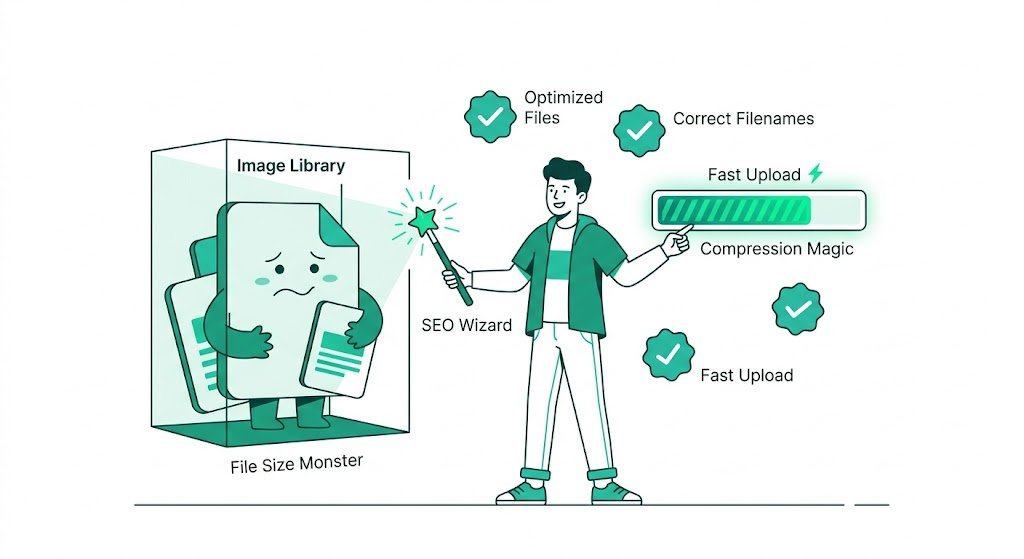
Common SBI Image Library Frustrations and Fixes: How Smart SBI Users Save Hours
Every Solo Build It user eventually faces it — the endless struggle with the SBI Image Library. From the frustrating 10-image upload limit to the constant battle with the 100KB size restriction, image management can quickly become the most hated part of content creation. If you’ve ever felt drained after uploading images for a single article, this guide is for you.
In this comprehensive article, we explore the most common SBI Image Library frustrations and their practical fixes. Most importantly, discover how Bulk Snap from SBISnap.com eliminates these pain points entirely by automating bulk optimization, resizing, SEO filenames, and alt text generation — turning a major headache into a fast, effortless process.
Why Image Management Feels So Painful in Solo Build It
SBI’s Image Library is powerful but comes with strict technical constraints designed for speed and performance. While these rules help your site load faster, they create significant workflow challenges for active content creators who publish image-rich articles regularly.
Let’s break down the most common frustrations — and how to fix them.
Top 8 SBI Image Library Frustrations & Their Fixes
1. The 10 Images at a Time Upload Limit
Frustration: You can only upload 10 images per batch, forcing you to repeat the process again and again for large articles.
Fix: Prepare perfectly optimized images in advance using Bulk Snap so each batch uploads smoothly and quickly. No more waiting between small uploads.
2. Strict 100KB Per Image Limit
Frustration: Beautiful high-resolution photos get rejected repeatedly because they exceed 100KB.
Fix: Bulk Snap automatically compresses and resizes every image to under 100KB while preserving excellent visual quality — guaranteed.
3. Time-Consuming Manual Resizing & Compression
Frustration: Switching between Photoshop, TinyPNG, or online tools for every single image eats hours.
Fix: Upload hundreds of images at once to Bulk Snap and let AI handle compression, resizing, and optimization in minutes.
4. Generic & Poor SEO Filenames
Frustration: Images named “IMG_0456.jpg” or “DSC_1234.png” provide zero SEO value.
Fix: Bulk Snap’s AI automatically creates descriptive, keyword-rich filenames like “best-keto-pizza-recipe-india-2026.jpg” based on your article topic.
5. Writing Alt Text for Dozens of Images
Frustration: Coming up with unique, descriptive alt text for every image is mentally exhausting.
Fix: Bulk Snap generates smart, context-aware, SEO-friendly alt text automatically for every image.
How Bulk Snap Transforms Your SBI Image Workflow
Bulk Snap from SBISnap.com is the complete image optimization solution built exclusively for Solo Build It users. It combines AI intelligence with bulk processing to handle everything the SBI Image Library demands.
Key Capabilities:
- Bulk upload & processing of 50–500+ images at once
- Intelligent compression guaranteed under 100KB
- AI-powered SEO filename generation
- Smart descriptive alt text creation
- Ideal dimension resizing for SBI layouts
- One-click download of perfectly organized, ready-to-upload files
Real-World Results: What SBI Users Experience
Success Story
“I used to spend 3–4 hours preparing images for every article due to SBI limits. With Bulk Snap, I process 80+ images in under 10 minutes. All files under 100KB, perfect filenames, and excellent alt text. My publishing speed has doubled!”
— Amit Verma, Health & Fitness SBI Site Owner
Step-by-Step: Using Bulk Snap to Overcome SBI Frustrations
- Gather Your Images: Collect all raw images for your article in one folder.
- Upload to Bulk Snap: Visit SBISnap.com and drop your files.
- Provide Context: Enter your article title or main keyword once.
- Run Optimization: Choose the SBI-optimized preset and process.
- Download Ready Files: Get perfectly prepared images.
- Upload to SBI: Import in batches of 10 with zero rejections and better SEO value.
This simple workflow eliminates almost every major frustration SBI users face.
Additional Pro Tips to Reduce Image-Related Stress
- Organize raw images by article folders before processing
- Use Bulk Snap before every major publishing session
- Re-optimize older images in your SBI library periodically
- Combine Bulk Snap with strong captions for maximum SEO impact
- Keep original high-resolution backups on your computer
Comparison: Manual Process vs Bulk Snap
| Task | Manual Method | Bulk Snap |
|---|---|---|
| Time for 50 Images | 2–4 hours | 8–12 minutes |
| 100KB Compliance | Constant checking | Automatic Guarantee |
| SEO Filenames | Manual renaming | AI Generated |
| Alt Text Quality | Tiring & repetitive | Smart & Contextual |
| Overall Frustration | Very High | Near Zero |
Long-Term Benefits of Solving SBI Image Frustrations
When you eliminate these pain points with Bulk Snap, you’ll enjoy:
- Faster article publishing cycles
- Better page speed scores and rankings
- Stronger SEO through optimized images
- More time for high-value creative work
- Reduced burnout and greater enjoyment of content creation
Ready to Say Goodbye to SBI Image Frustrations?
Don’t let image management hold back your Solo Build It success. Bulk Snap from SBISnap.com was created specifically to solve the real frustrations SBI users face every day.
Whether you publish weekly or create massive guides, Bulk Snap gives you professional, consistent, and highly optimized images with minimal effort.
Fix Your SBI Image Problems with Bulk Snap Today →
Final Thoughts
The SBI Image Library is a powerful tool, but its limitations can cause significant frustration. The good news is that you don’t have to fight these limitations anymore. With the right approach and the right tool, image optimization becomes one of the easiest parts of your workflow.
Bulk Snap from SBISnap.com is that tool — delivering bulk processing, AI intelligence, and perfect SBI compatibility in one seamless solution. Stop struggling and start publishing faster with beautifully optimized images.
Visit SBISnap.com today and experience the difference for yourself.