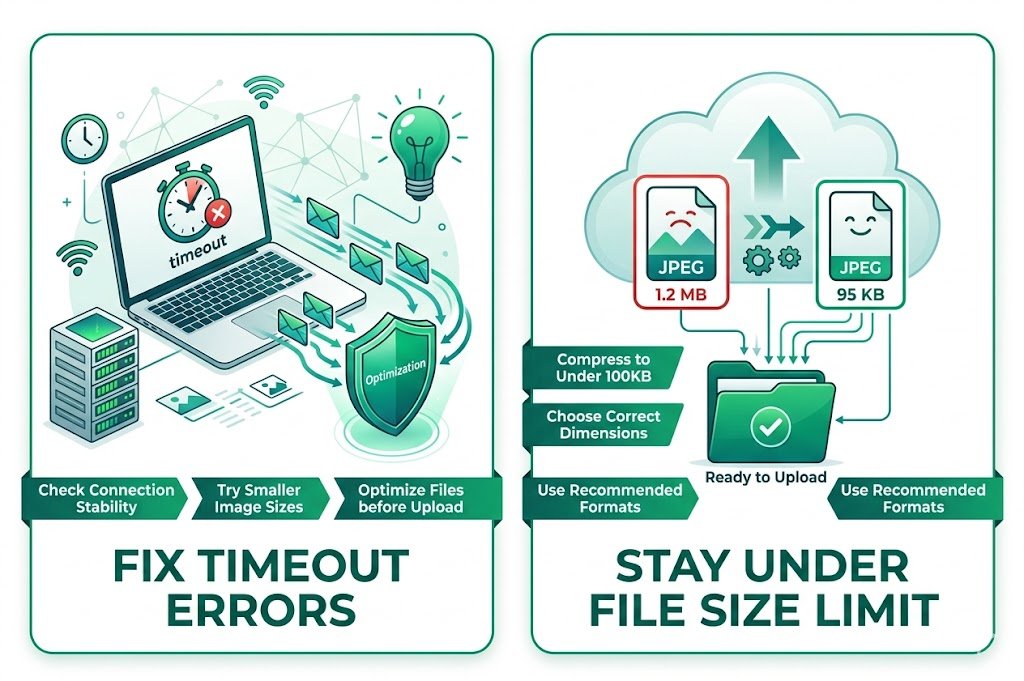
Fix SBI Image Upload Timeout and File Size Limit: The Ultimate Guide for Solo Build It Users
Nothing kills your content creation momentum faster than the dreaded SBI Image Library upload timeout and file size rejection. You spend time preparing beautiful images, only to watch them fail repeatedly due to the strict 100KB limit or frustrating timeout errors. If you’re tired of refreshing pages, compressing images manually, and dealing with upload failures, this guide is for you.
In this comprehensive 2026 article, we’ll explore why these issues happen and — most importantly — how Bulk Snap from SBISnap.com completely solves SBI image upload timeout and file size problems by intelligently optimizing all your images in bulk, making uploads fast, reliable, and hassle-free.
Understanding SBI Image Upload Problems
Solo Build It enforces two major technical constraints in its Image Library:
- Strict 100KB File Size Limit per image
- Upload Timeout Errors when processing too many images or large files
These limitations are designed to keep sites fast, but they create significant friction for creators working with high-quality photos, infographics, or image-heavy articles.
Why SBI Image Upload Timeout Happens
Upload timeouts usually occur because:
- Images are too large, causing long processing times
- Too many images are attempted in one session
- Browser or internet connection struggles with multiple simultaneous uploads
- SBI server-side limits kick in during peak hours
Combined with the 100KB limit, these issues turn what should be a simple task into a major productivity killer.
Common Manual Fixes (And Why They’re Not Enough)
1. Manual Compression Techniques
Using tools like TinyPNG, Photoshop, or GIMP to reduce file size. This works for small batches but becomes exhausting for 50+ images.
2. Reducing Image Dimensions
Resizing images to 800–1200px wide. Still requires checking each file individually.
3. Uploading in Smaller Batches
Sticking to 5–8 images per batch to avoid timeouts. Very time-consuming.
4. Browser Tricks
Clearing cache, using incognito mode, or switching browsers. Temporary relief at best.
While these methods help, they don’t solve the root problem efficiently — especially for serious SBI users publishing regularly.
How Bulk Snap Fixes SBI Image Upload Timeout and File Size Limit
Bulk Snap from SBISnap.com is the most powerful image optimization tool built specifically for Solo Build It members. It eliminates both the 100KB file size limit issues and upload timeout problems through intelligent automation.
Here’s exactly how Bulk Snap helps:
- Guaranteed Under 100KB Compression: Advanced AI algorithms compress images to meet SBI requirements while maintaining stunning visual quality.
- Smart Resizing: Automatically adjusts dimensions to ideal SBI-friendly sizes.
- Bulk Processing: Handles 50, 100, or 300+ images in one go — dramatically reducing the number of upload sessions.
- Optimized File Preparation: Creates smaller, cleaner files that upload faster and avoid timeouts.
- AI SEO Enhancements: Generates descriptive filenames and alt text automatically.
Real SBI User Results with Bulk Snap
Success Story
“I was ready to quit publishing image-heavy articles because of constant upload timeouts and 100KB rejections. Bulk Snap changed everything. I optimized 115 images in 11 minutes — all under 95KB — and uploaded them without a single timeout. My workflow is now smooth and enjoyable!”
— Priya Malhotra, Travel Niche SBI Site Owner
Step-by-Step: Fix Upload Issues Using Bulk Snap
- Collect Your Images: Gather all raw images for your article in one folder on your computer.
- Upload to Bulk Snap: Visit SBISnap.com and drag & drop your entire batch.
- Set Article Context: Enter your page title or main keyword (helps AI optimize filenames and alt text).
- Choose SBI Preset: Select the “SBI Image Library – Max Speed & Compatibility” option.
- Process: Let the AI compress, resize, and optimize everything under 100KB.
- Download: Receive perfectly prepared, lightweight files.
- Upload to SBI: Import in small batches of 8–10 images. No more timeouts or rejections.
This complete process typically takes 8–15 minutes, even for large articles.
Advanced Tips to Prevent Future Upload Problems
- Always optimize with Bulk Snap before uploading to SBI
- Use a stable, high-speed internet connection during uploads
- Upload during off-peak hours when possible
- Keep file counts per session under 10 (now much easier with pre-optimization)
- Regularly clear your browser cache and cookies
Bulk Snap makes following these best practices effortless and consistent.
Benefits of Solving SBI Upload Timeout and File Size Issues
When you fix these problems with Bulk Snap, you unlock:
- Faster article publishing cycles
- Significantly better page loading speeds
- Improved SEO through optimized filenames and alt text
- Reduced frustration and higher creative output
- More professional, consistent image quality across your site
- Greater confidence when publishing image-rich content
Bulk Snap vs Other Solutions: Why It Wins
| Solution | Handles 100KB Limit | Prevents Timeouts | AI Filenames + Alt Text | Time Saved |
|---|---|---|---|---|
| Manual Optimization | Difficult | No | No | None |
| Basic Compressors | Partial | No | No | Moderate |
| Bulk Snap | Perfect | Yes | Yes | Massive |
Ready to Eliminate SBI Upload Frustrations Forever?
Stop letting file size limits and upload timeouts slow down your Solo Build It business. Bulk Snap from SBISnap.com was designed by SBI users for SBI users to solve exactly these problems.
Whether you publish one article per week or multiple detailed guides every month, Bulk Snap gives you the speed, reliability, and quality you need to succeed.
Fix Your SBI Upload Problems with Bulk Snap Today →
Conclusion: Work Smarter with Your SBI Images
SBI’s image upload timeout and 100KB file size limit are real challenges, but they no longer have to hold you back. With the right preparation and the right tool, these issues become minor details instead of major roadblocks.
Bulk Snap from SBISnap.com delivers the complete solution — powerful bulk optimization, guaranteed 100KB compliance, smarter filenames, excellent alt text, and dramatically reduced upload times. It transforms image management from a frustrating chore into a quick, reliable step in your content creation process.
Take control of your workflow today. Visit SBISnap.com and experience the easiest, most effective way to fix SBI image upload timeout and file size limit problems once and for all.