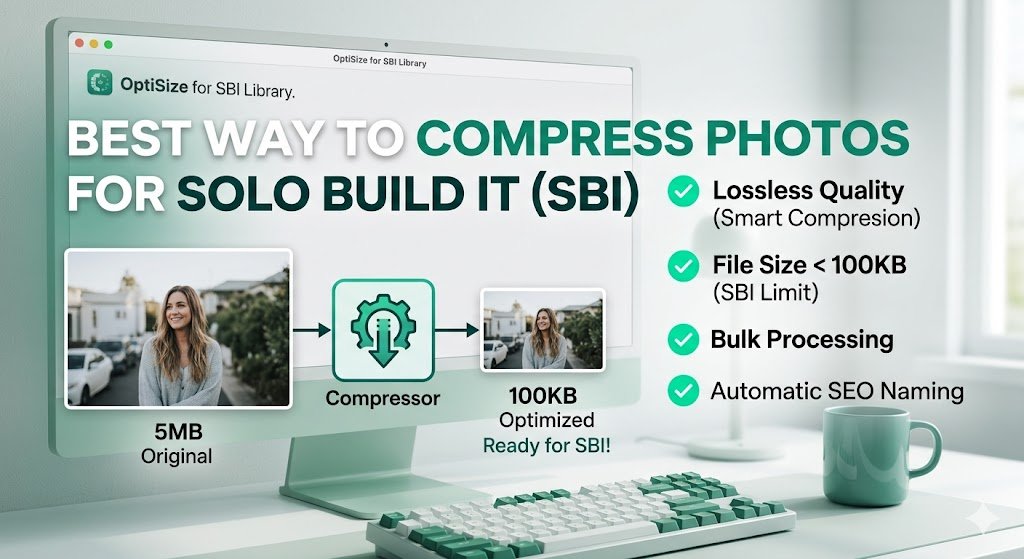
Best Way to Compress Photos for Solo Build It Image Library in 2026
Struggling to compress photos for the Solo Build It Image Library without losing quality? The strict 100KB per image limit frustrates thousands of SBI users every day. You want beautiful, high-resolution photos on your site, but uploading uncompressed images leads to rejections, while over-compressing makes them look terrible.
In this ultimate guide, you’ll discover the absolute best way to compress photos for Solo Build It while maintaining stunning visual quality. Most importantly, learn how Bulk Snap from SBISnap.com — the smartest AI-powered bulk compression tool built exclusively for SBI users — makes perfect compression effortless, saving you hours while delivering professional results every time.
Why Photo Compression is Critical for Solo Build It Success
Solo Build It enforces a strict 100KB maximum file size per image to ensure fast loading speeds and excellent user experience. While this rule benefits your visitors, it creates a major challenge for content creators who work with high-quality photos from smartphones, cameras, or stock libraries (often 3MB–12MB each).
Proper compression delivers:
- Faster website loading times
- Better Google PageSpeed scores
- Improved search rankings
- Higher visitor satisfaction and lower bounce rates
- Successful uploads without repeated rejections
The key is finding the right balance — maximum compression with minimum quality loss.
The Smart Way: Bulk Snap automatically delivers perfectly compressed photos under 100KB in minutes.
Manual Methods to Compress Photos for SBI
1. Using Photoshop or Photoshop Express
Open image → Image Size → Reduce dimensions → Save for Web → Adjust JPEG quality to 60-75%. Check file size repeatedly. Good for single images, terrible for bulk work.
2. Free Online Tools (TinyJPG, Compress JPEG, ILoveIMG)
Quick for small batches but lack control, no batch intelligence, and no integration with SBI’s other needs like filenames and alt text.
3. GIMP or Paint.NET
Powerful free options but still require manual effort for every single photo.
These methods work for occasional use but become unsustainable when you publish image-heavy articles regularly.
The Limitations of Traditional Compression
- Extremely time-consuming for 30–100+ images
- Inconsistent quality across images
- No automatic SEO filename or alt text generation
- High risk of visible quality degradation
- Doesn’t solve the 10-image upload limit problem
The Best Way to Compress Photos for SBI: Bulk Snap
Bulk Snap from SBISnap.com is the most advanced and user-friendly solution available for Solo Build It members. It uses intelligent AI algorithms specifically tuned for SBI’s requirements.
Why Bulk Snap is Superior:
- Smart AI Compression: Analyzes each photo and applies optimal compression while preserving details, colors, and sharpness.
- Guaranteed Under 100KB: Every image meets SBI limits automatically.
- Bulk Processing: Compress dozens or hundreds of photos in one batch.
- AI SEO Filenames: Generates descriptive, keyword-rich names automatically.
- Context-Aware Alt Text: Creates high-quality alt text based on your page topic.
- Ideal Dimension Resizing: Automatically adjusts size for perfect display in SBI.
Step-by-Step: How to Compress Photos Using Bulk Snap
- Collect Your Photos: Gather all images for your article in one folder.
- Upload to Bulk Snap: Go to SBISnap.com and drag & drop your files.
- Enter Page Context: Provide your article title or main keywords (helps with filenames and alt text).
- Select Preset: Choose “SBI Image Library – Best Quality Compression”.
- Process: Let the AI compress, resize, rename, and generate alt text.
- Download: Receive a perfectly optimized zip file ready for SBI.
- Upload to SBI: Import your compressed photos with confidence.
Total time: Usually 8–15 minutes for a full article’s worth of images.
Real Results from SBI Users
Success Story
“I used to dread compressing photos for SBI. Bulk Snap changed everything. I uploaded 76 raw images and got them all under 95KB with beautiful quality, perfect filenames, and excellent alt text in just 9 minutes. My page speed improved dramatically!”
— Deepak Sharma, Food & Recipe SBI Site Owner
Best Practices for Compressing Photos for Solo Build It
- Start with high-quality source images
- Target 70-90KB for best balance of quality and speed
- Use appropriate dimensions (1200px max for most content images)
- Always optimize before uploading to SBI
- Combine compression with strong page context for better SEO
Bulk Snap makes following these best practices automatic and consistent.
Compression Comparison: Different Methods
| Method | Time (50 images) | Quality | 100KB Guarantee | AI Features |
|---|---|---|---|---|
| Manual (Photoshop etc.) | 2–4 hours | Variable | No | No |
| Online Tools | 45–90 mins | Good | No | Limited |
| Bulk Snap | 8–15 mins | Excellent | Yes | Full AI |
Why Bulk Snap is the Best Way to Compress Photos for SBI
Unlike generic compressors, Bulk Snap was built specifically for Solo Build It. It understands the platform’s unique needs and delivers a complete optimization solution — not just compression.
Whether you publish weekly articles or massive guides, Bulk Snap scales with you and consistently saves massive amounts of time.
Start Compressing Photos the Smart Way with Bulk Snap →
Final Thoughts
Compressing photos for the Solo Build It Image Library doesn’t have to be painful or time-consuming. While manual methods still exist, they simply cannot compete with the speed, quality, and intelligence of modern AI-powered tools.
Bulk Snap from SBISnap.com represents the best way to compress photos for SBI in 2026 and beyond. It combines powerful compression, smart resizing, AI filenames, and excellent alt text generation into one seamless experience designed specifically for Solo Build It users.
Stop wasting hours on repetitive compression tasks. Reclaim your time, improve your image quality, and publish faster with confidence. Your SBI website — and your future self — will thank you.
Ready to experience the easiest and most effective way to compress photos for Solo Build It? Visit SBISnap.com today and transform how you handle images forever.