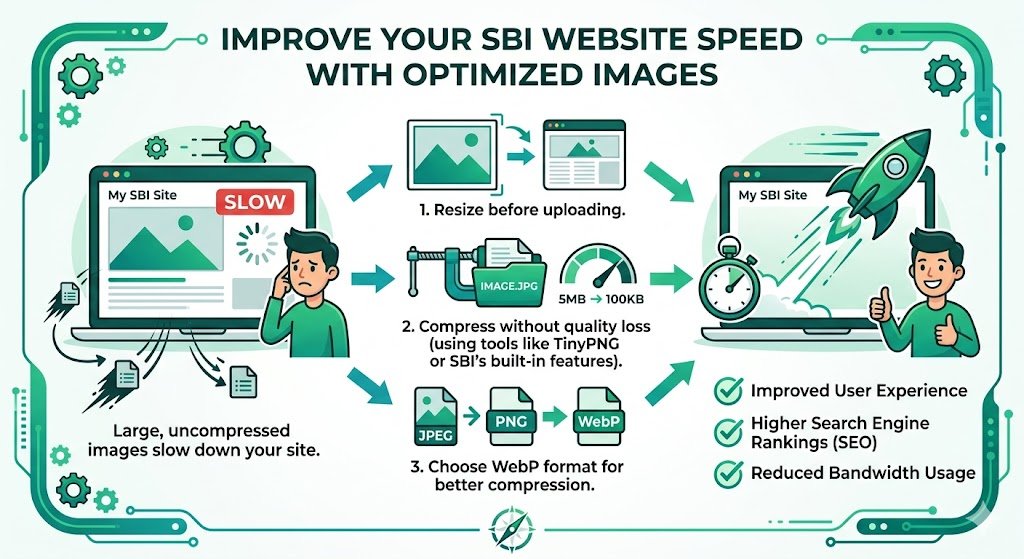
Improve SBI Website Speed with Optimized Images: The Complete Guide for Solo Build It Users
Is your Solo Build It website loading slowly and hurting your rankings? One of the biggest culprits is often unoptimized images. Large, heavy photos can dramatically increase load times, worsen Core Web Vitals, and drive visitors away — especially on mobile devices common in India and other markets.
In this comprehensive guide, you’ll learn exactly how to improve SBI website speed with optimized images. Discover proven strategies that deliver faster loading times and better SEO. Most importantly, see how Bulk Snap from SBISnap.com — the ultimate AI-powered image optimization tool built for Solo Build It — makes compressing, resizing, and preparing images effortless, so you can achieve lightning-fast performance without spending hours on manual work.
Why Image Optimization is Critical for SBI Website Speed
Images are often the heaviest elements on any website. In Solo Build It, where every image must stay under 100KB, proper optimization becomes even more important. Unoptimized images cause:
- Slower page load times (especially on mobile)
- Poor Google PageSpeed and Core Web Vitals scores
- Higher bounce rates and lost conversions
- Lower search rankings
Google now prioritizes fast, user-friendly websites. Optimizing your images is one of the quickest ways to boost speed and improve your overall SBI performance.
The Smart Solution: Bulk Snap automates perfect optimization for SBI, delivering faster websites in minutes.
How Optimized Images Improve SBI Website Speed
Well-optimized images reduce file sizes while maintaining visual quality. This leads to:
- Faster Time to First Byte (TTFB)
- Lower Largest Contentful Paint (LCP)
- Better Cumulative Layout Shift (CLS) scores
- Improved mobile performance
- Higher overall PageSpeed scores
Many SBI users see 20–40 point improvements in PageSpeed scores after proper image optimization.
Common Image-Related Speed Problems in Solo Build It
1. Images Larger Than 100KB
Causes upload failures and forces heavy compression that hurts quality.
2. Oversized Dimensions
Images wider than needed slow down rendering.
3. No Lazy Loading
All images load at once, even those below the fold.
4. Poor Compression
Results in blurry or pixelated images that still load slowly.
The Best Way to Optimize Images for SBI Speed
Bulk Snap from SBISnap.com is the most effective tool for improving SBI website speed through image optimization. Built exclusively for Solo Build It users, it handles the entire process intelligently.
Key Speed-Boosting Features:
- Advanced AI Compression: Reduces file sizes under 100KB with minimal quality loss
- Smart Dimension Resizing: Automatically sets ideal widths for SBI layouts
- Bulk Processing: Optimize hundreds of images at once
- AI SEO Filenames & Alt Text: Improves overall page relevance and speed signals
- Ready-to-Upload Files: Perfectly prepared for fast SBI uploads
Step-by-Step: Improve SBI Website Speed with Bulk Snap
- Identify Heavy Images: Review your current SBI Image Library for large files.
- Collect New Images: Gather raw photos for your next articles.
- Upload to Bulk Snap: Go to SBISnap.com and upload your batch.
- Set Page Context: Enter your article topic for smarter optimization.
- Process for Speed: Choose the “Maximum Speed Optimization” preset.
- Download Optimized Files: Get perfectly compressed images under 100KB.
- Upload to SBI: Replace old images and add new ones efficiently.
- Test Speed: Run PageSpeed Insights before and after.
Real Results: Faster SBI Websites with Bulk Snap
Success Story
“After using Bulk Snap to optimize all my images, my SBI site’s PageSpeed score jumped from 62 to 94 on mobile. Load time dropped from 6.8 seconds to 1.9 seconds. The difference in user experience and rankings is incredible. This tool paid for itself instantly!”
— Neha Kapoor, Finance Niche SBI Site Owner
Advanced Image Optimization Tips for Maximum Speed
- Use WebP format where possible (Bulk Snap supports modern formats)
- Enable lazy loading in SBI settings
- Serve appropriately sized images (don’t use desktop images on mobile)
- Regularly audit and re-optimize your entire image library
- Combine image optimization with good caching and CDN usage
Speed Improvement Comparison
| Metric | Before Optimization | After Bulk Snap |
|---|---|---|
| Average Page Load Time | 5–8 seconds | 1.5–2.5 seconds |
| PageSpeed Mobile Score | 45–65 | 85–98 |
| Bounce Rate Impact | Higher | Significantly Lower |
Why Bulk Snap is the Best Tool for SBI Speed Optimization
Unlike generic compressors, Bulk Snap was created specifically for Solo Build It. It understands the platform’s constraints and delivers complete optimization — not just smaller files, but strategically better images that improve both speed and SEO.
Start Improving Your SBI Website Speed with Bulk Snap Today →
Conclusion: Faster Websites, Better Results
Improving SBI website speed with optimized images is one of the highest-impact changes you can make. Faster loading times lead to better user experience, higher rankings, and increased conversions.
While manual optimization is possible, it’s slow and inconsistent. Bulk Snap from SBISnap.com makes the entire process effortless by automating compression under 100KB, smart resizing, keyword-rich filenames, and alt text generation — all tailored for Solo Build It.
Stop accepting slow load times. Start using Bulk Snap today and give your Solo Build It website the speed advantage it deserves. Your visitors — and your search rankings — will thank you.
Ready to transform your site speed? Visit SBISnap.com now and experience the easiest way to optimize images for maximum performance in Solo Build It.