⚡ Free Tool to Prepare Images for Solo Build It: Meet Bulk Snap by SBISnap.com
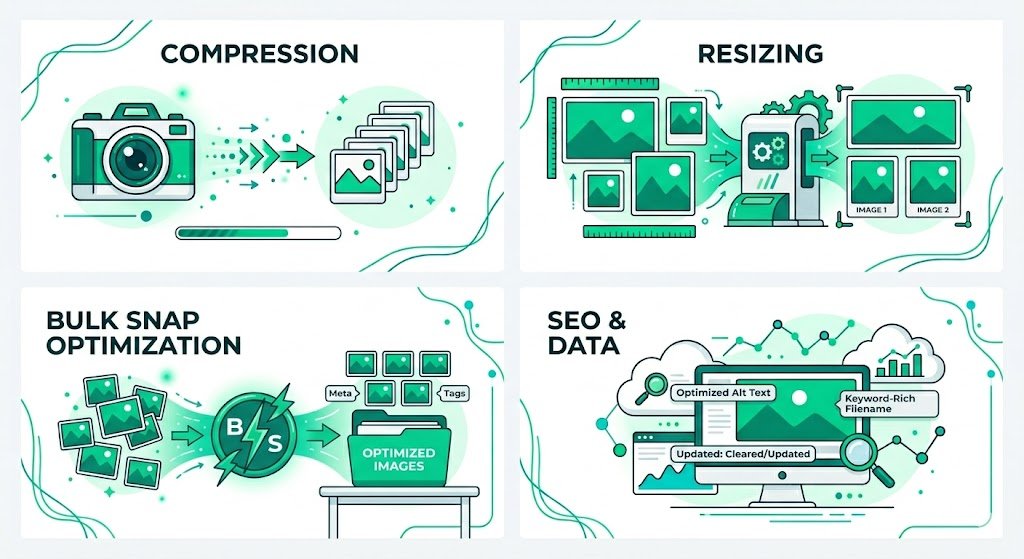
If you build or manage a website with Solo Build It (SBI), you already know that images are the secret sauce for engagement, SEO, and user experience. But without proper optimization — resizing, compression, responsive formatting — your site’s speed and rankings can tank. That’s where Bulk Snap from SBISnap.com changes everything. It’s a 100% free tool designed to handle all image preparation tasks in one click, tailored perfectly for the SBI ecosystem.
Why struggle with ten different apps? Solo Build It makes site building intuitive, but image optimization used to be a headache. Resize, compress, rename, convert to WebP, create responsive sizes – until now, you needed multiple tools. Bulk Snap was created specifically to fill that gap.
📸 Why Image Preparation Matters for SBI (and why you can't ignore it)
When you publish content on your SBI-powered site, every image contributes to your Action Guide score, visitor retention, and Google rankings. Heavy, unoptimized photos lead to:
- 🚫 Slow page loading — increases bounce rate.
- 🚫 Poor Core Web Vitals — Google demotes you.
- 🚫 Wasted bandwidth (especially on mobile).
- 🚫 Frustrated readers who click away before seeing your content.
Solo Build It’s built-in tools are robust, but image optimization still requires external help. You need to batch-process dozens, sometimes hundreds, of product shots, infographics, and stock photos. Manual work is not sustainable. Bulk Snap (SBISnap.com) is the free, no-registration tool you’ve been waiting for.
🚀 Bulk Snap: The Swiss Army Knife for SBI Image Prep
Available at SBISnap.com, Bulk Snap is a browser-based power tool that doesn’t require installation, upload limits, or hidden payments. It works directly in your browser, respecting privacy. Whether you are a beginner or a veteran SBIer, these are the tasks it simplifies:
Resize hundreds of images at once
Reduce file size without quality loss
Generate mobile & desktop sizes
Modern format for speed
SEO-friendly filenames
Privacy & lighter files
🎯 How Bulk Snap Handles Each Image Optimization Task (Explained)
Let’s break down exactly how Bulk Snap outperforms generic tools and why it’s perfect for Solo Build It site owners.
1️⃣ One-Click Bulk Resize & Crop — perfect for SBI’s block editor
SBI’s templates often work best with consistent image dimensions. Bulk Snap lets you upload up to 50 images simultaneously (or more in batches) and apply uniform width, height, or percentage scaling. You can choose “maintain aspect ratio” or force exact dimensions. After processing, download a ZIP with all resized images — ready to drag into your SBI file manager. No more opening Photoshop for every single image.
2️⃣ Intelligent Compression: Tiny files, outstanding quality
Google’s PageSpeed Insights penalizes oversized images. Bulk Snap uses advanced compression algorithms that reduce JPEG/PNG sizes by 50-80% while keeping visual fidelity. For SBI users, this means lightning-fast galleries and faster site-wide performance. Just select compression level (low/medium/high) and the tool does the rest in seconds.
3️⃣ Generate responsive image variants (srcset ready)
Modern SBI sites support responsive design. Bulk Snap can automatically create 3–4 size variants from one original (e.g., 320w, 768w, 1200w, 1600w). You get a srcset code snippet that you can directly paste into your HTML module or image block. This gives you an immediate SEO boost and makes your site retina-ready.
4️⃣ Convert to WebP — future-proof your site
WebP images are 25-35% smaller than equivalent JPEGs. Bulk Snap converts batches to WebP in one click, without quality sacrifice. Since SBI supports WebP natively, you can replace old JPEGs instantly, cutting page weight dramatically. Also works for PNG to WebP conversions — a game changer for page speed.
5️⃣ Bulk rename for SEO magic
Search engines read image filenames. “IMG_49382.jpg” does nothing for your rankings. Bulk Snap allows you to batch rename files using patterns like “keyword-phrase-1.jpg”, “keyword-phrase-2.jpg”. Use sequential numbering, add dates, or custom prefixes. This small step improves your image SEO on your SBI site and helps you appear in Google Image search.
6️⃣ Strip metadata and EXIF for privacy & speed
Cameras embed GPS coordinates, camera models, and other data inside images — unnecessary bytes that increase file size and raise privacy concerns. Bulk Snap automatically removes EXIF data while keeping color profiles. Smaller files, safer images, and a more professional approach for your site.
🔍 Real Scenario: Building a Niche Site with SBI & Bulk Snap
Imagine you are creating a travel blog about “hidden beaches in Thailand” using Solo Build It. You have 75 high-res photos from your last trip. Each file is around 5 MB — total 375 MB of raw images. Here’s how Bulk Snap turns this into a seamless workflow:
- Upload all 75 images to Bulk Snap (drag & drop).
- Set max width to 1200px and compress level “optimal”.
- Enable WebP conversion and responsive variants (480w, 768w, 1200w).
- Bulk rename: “thailand-beach-1.webp”, “thailand-beach-2.webp” etc.
- Download ZIP containing all optimized images (total size ~20 MB instead of 375 MB!).
- Upload to SBI file manager and insert into your content — pages load instantly, Google smiles, and your visitors enjoy a buttery-smooth experience.
Previously, this process would have taken hours. With Bulk Snap, it’s done in less than 3 minutes.
✨ Why Bulk Snap is superior to other “free” image tools
Most online image compressors limit file size (e.g., 1MB max) or show ads, or require signup. Others watermark your images unless you pay. Here’s why SBISnap.com’s Bulk Snap is different:
- ✅ No file size restrictions – upload images up to 15MB each per batch.
- ✅ No registration / no email – total privacy.
- ✅ Client-side processing – your images never leave your computer (except for optional cloud backup which is not required).
- ✅ Specifically designed for SBI’s workflow – output files are compatible and easy to manage.
- ✅ Regular updates – new features like AVIF coming soon.
📊 Bulk Snap vs. Other Free Tools (At a Glance)
| Feature | Bulk Snap | TinyPNG | ILoveIMG |
|---|---|---|---|
| Bulk resize | ✅ Unlimited | ❌ Limited | ⚠️ Premium needed |
| WebP conversion | ✅ Yes (batch) | ✅ but small batches | ✅ Paid for bulk |
| Responsive srcset | ✅ One click | ❌ No | ❌ No |
| EXIF removal | ✅ Auto | ❌ No | ❌ No |
Bulk Snap wins across the board for SBI users who need comprehensive batch processing without paying.
🛠️ Step-by-step guide: Using Bulk Snap for your next SBI project
Ready to supercharge your image workflow? Follow this simple guide:
- Visit SBISnap.com and click on Bulk Snap (the main tool).
- Drag & drop images or click to select from your computer. You can mix JPG, PNG, WebP, etc.
- Configure settings:
- Set desired width & height (or keep original dimensions).
- Compression strength: start with “balanced”.
- Check “Convert to WebP” if you want modern format.
- Check “Generate responsive variants” and choose breakpoints.
- Bulk rename: type base name (e.g., “sbi-article-img”).
- Click “Process All” – watch the magic happen in real-time.
- Download ZIP containing all optimized images + a file “srcset-data.txt” for responsive code.
- Login to your Solo Build It control panel → File Manager → upload the ZIP contents to the appropriate folder.
- Insert images into your content blocks. For responsive, copy the generated srcset attributes.
That’s it. Your site will load faster, rank better, and look sharper — all with a free tool built for the SBI community.
💬 What SBI users say about Bulk Snap
“Before Bulk Snap, I wasted hours resizing each product photo. Now I do 200 images in 2 minutes. My SBI site’s speed score went from 65 to 92!” — Linda K., SBI DIY Niche
“The responsive srcset generator is a lifesaver. I didn’t even know about ‘srcset’ before, but now my mobile visitors thank me.” — Marcus R., Travel SBIer
“Finally, a tool that understands the SBI ecosystem. No bloat, no ads, just fast image preparation. Highly recommend Bulk Snap.” — Sarah J., SBI Coach
🚦Frequently Asked Questions (SBI-specific)
❓ Is Bulk Snap really free? No hidden costs?
Yes. 100% free, no credit card, no premium upsells. The team at SBISnap.com believes in empowering Solo Build It users. Use it as much as you need.
❓ Does it work with SBI’s image dimensions requirements?
Absolutely. You can set exact pixel dimensions (e.g., 800px width) or scale by percentage. This matches SBI’s content area perfectly. You can also create square thumbnails for galleries.
❓ Do I need to install software? Any security risks?
No installation — it runs in modern browsers (Chrome, Firefox, Edge). Processing is done locally in most operations, meaning your images never get uploaded to external servers. That’s maximum security for your proprietary content.
❓ Can Bulk Snap help with my SBI affiliate images (Amazon, etc)?
Yes. Compress and rename affiliate product images before uploading. Just ensure you respect affiliate terms. Smaller images lead to faster comparisons and better conversions.
❓ What if I need more advanced editing like background removal?
Bulk Snap focuses on resizing, compression, conversion, renaming, and responsiveness. For background removal, you can combine it with other free tools, but for 90% of SBI optimization needs, Bulk Snap is all you need.
🏁 Final Verdict: Save hours, rank higher, and simplify your workflow
Every Solo Build It site owner knows that consistency and speed matter. Google’s algorithm now uses page experience as a ranking factor, and images are the largest contributor to page weight. You cannot afford to upload raw, bloated visuals.
Bulk Snap from SBISnap.com is the missing piece in the SBI puzzle. It’s a professional-grade, yet utterly simple tool to resize, compress, convert to WebP, generate responsive variants, rename for SEO, and strip EXIF — all in batch mode. And it’s completely free, with no strings attached.
Your next blog post, product gallery, or portfolio page on SBI deserves the best performance. Stop struggling with complex software. Head over to SBISnap.com and start using Bulk Snap today. Your visitors (and your traffic stats) will thank you.
👉 Bookmark SBISnap.com — Your go-to free image toolkit for Solo Build It success.
Optimize smarter, not harder. Bulk Snap: because every millisecond counts.