Ideal Image Dimensions for SBI Websites: Complete Guide for Perfect Visuals in 2026
Using the wrong image dimensions in Solo Build It can ruin your website’s layout, slow it down, and hurt your SEO. Too large, and you fight the 100KB limit and upload issues. Too small, and your images look blurry or unprofessional on different devices.
In this ultimate guide, you’ll discover the **ideal image dimensions for SBI websites** that deliver the best balance of quality, speed, and visual appeal. Most importantly, learn how Bulk Snap from SBISnap.com — the smartest AI-powered bulk image optimization tool for Solo Build It users — automatically resizes your images to these ideal dimensions while compressing them under 100KB, generating SEO filenames, and creating smart alt text, saving you hours of manual work.
Why Image Dimensions Matter So Much in Solo Build It
Image dimensions directly impact your website’s loading speed, layout consistency, mobile experience, and overall user perception. In SBI, where every image must stay under 100KB, choosing the right size is even more critical.
Correct dimensions help you:
- Achieve faster page load times
- Maintain clean, professional layouts
- Deliver excellent mobile experience
- Improve Core Web Vitals and SEO rankings
- Reduce upload rejections and timeouts
The Easy Solution: Bulk Snap automatically resizes all your images to perfect SBI dimensions while optimizing everything else.
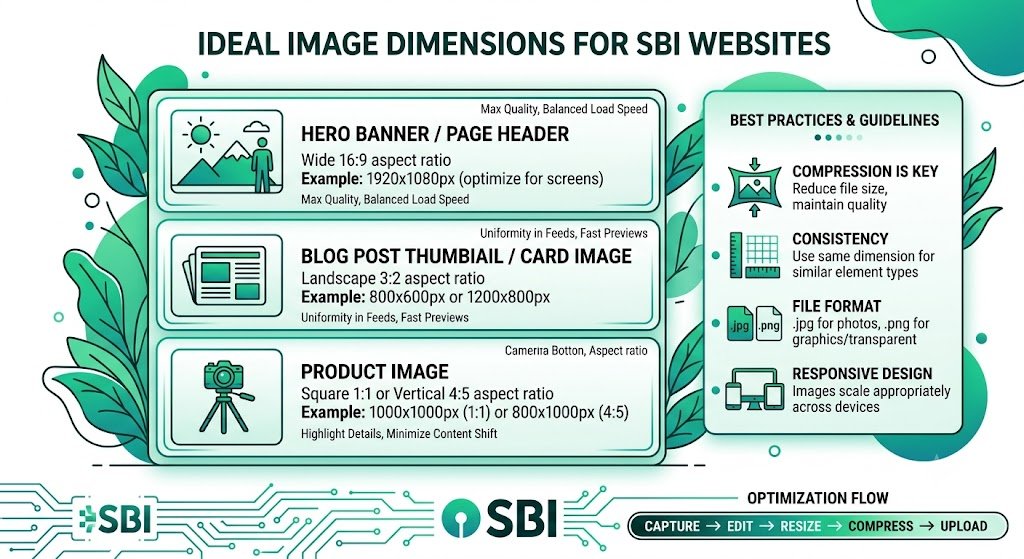
Recommended Ideal Image Dimensions for SBI Websites
1. Hero / Featured Images
Ideal Dimensions: 1200–1400px wide × 600–800px height
Best Use: Article headers, home page banners, and prominent visuals.
2. In-Content Images
Ideal Dimensions: 700–900px wide (for main content area)
Best Use: Supporting images inside articles, step-by-step guides, and product visuals.
3. Thumbnails & Small Images
Ideal Dimensions: 300–500px wide
Best Use: Related posts, image galleries, and sidebar visuals.
4. Infographics & Charts
Ideal Dimensions: 800–1200px wide (depending on complexity)
5. Logo & Icons
Ideal Dimensions: 200–400px wide (with transparent background)
Best Practices for Image Dimensions in Solo Build It
- Always keep width under 1600px to maintain fast loading
- Use responsive design principles — test on mobile and desktop
- Maintain consistent dimensions across similar image types
- Consider aspect ratio for clean layouts
- Optimize for both quality and file size under 100KB
How Bulk Snap Automatically Handles Ideal Image Dimensions
Bulk Snap from SBISnap.com is the ultimate solution for SBI users who want perfect image dimensions without the hassle. This AI-powered tool intelligently resizes every image to ideal dimensions while meeting all other SBI requirements.
Key Benefits of Using Bulk Snap:
- Automatic Smart Resizing: Detects image type and resizes to optimal SBI dimensions
- 100KB Compression Guarantee: Perfect file size compliance with excellent quality
- AI SEO Filenames: Generates descriptive, keyword-rich names
- Context-Aware Alt Text: Creates relevant descriptions automatically
- Bulk Processing: Resize and optimize hundreds of images at once
Step-by-Step: Achieving Ideal Dimensions with Bulk Snap
- Collect Your Images: Gather all raw photos for your article.
- Upload to Bulk Snap: Go to SBISnap.com and upload your batch.
- Provide Context: Enter your article title or keywords.
- Choose Preset: Select “SBI Image Library – Optimal Dimensions”.
- Process: Let AI resize to ideal dimensions, compress under 100KB, and optimize.
- Download: Get perfectly sized, ready-to-upload images.
- Upload to SBI: Import with confidence and enjoy a faster, better-looking site.
Real Results from SBI Users
Success Story
“I was constantly fighting with image sizes and blurry visuals. Bulk Snap now automatically resizes everything to perfect dimensions for SBI. My site looks much more professional, loads faster, and I save hours every week. Best tool for SBI users!”
— Vikram Singh, Lifestyle & Travel SBI Site Owner
Advanced Tips for Ideal Image Dimensions
- Test images on both desktop and mobile views
- Use consistent aspect ratios for similar content types
- Re-optimize older images with Bulk Snap for better performance
- Combine ideal dimensions with lazy loading for maximum speed
Comparison: Manual vs Bulk Snap Optimization
| Aspect | Manual Method | Bulk Snap |
|---|---|---|
| Time per Article | 1–3 hours | 8–15 minutes |
| Dimension Accuracy | Inconsistent | Perfect |
| Quality Consistency | Variable | Excellent |
| Full Optimization | Multiple tools needed | All-in-one |
Conclusion: Get Perfect Image Dimensions Effortlessly
Choosing and applying the ideal image dimensions for SBI websites is essential for creating fast, beautiful, and professional-looking content. While you can do it manually, it’s neither efficient nor scalable for active creators.
Bulk Snap from SBISnap.com removes all the guesswork and hard work by automatically resizing your images to the ideal dimensions for Solo Build It, while also handling compression under 100KB, SEO filenames, and alt text generation in one seamless process.
Stop compromising on image quality or wasting hours on manual resizing. Let Bulk Snap do the heavy lifting so you can focus on creating great content that ranks and converts.
Ready to get perfect image dimensions for your SBI website? Visit SBISnap.com today and experience the easiest way to optimize images for Solo Build It.