Common Alt Text Mistakes to Avoid in Solo Build It: Boost Accessibility & SEO
Are your alt text mistakes quietly hurting your Solo Build It website’s rankings and accessibility? Many SBI users either skip alt text completely or write descriptions that are too generic, keyword-stuffed, or robotic. These common mistakes can limit your image SEO, reduce accessibility for visually impaired users, and weaken overall page performance.
In this comprehensive guide, you’ll discover the most frequent **alt text mistakes to avoid** in Solo Build It and how to fix them with best practices. Most importantly, learn how Bulk Snap from SBISnap.com — the ultimate AI-powered image optimization tool built exclusively for Solo Build It users — automatically generates high-quality, natural, and error-free alt text while handling compression under 100KB, SEO filenames, and bulk processing, saving you hours of manual effort.
Why Avoiding Alt Text Mistakes Is Crucial for SBI Websites
Alt text is more than just a technical checkbox. It serves three vital purposes:
- Accessibility: Helps screen readers describe images to visually impaired users
- SEO: Gives Google valuable context for better image and page rankings
- User Experience: Shows meaningful text when images fail to load
Common mistakes can hurt your site’s inclusivity, damage SEO signals, and create a poor impression. Fixing them is one of the easiest wins for SBI users.
The Smart Solution: Bulk Snap’s AI creates natural, high-quality alt text automatically, avoiding all common pitfalls.
Top 10 Common Alt Text Mistakes to Avoid in Solo Build It
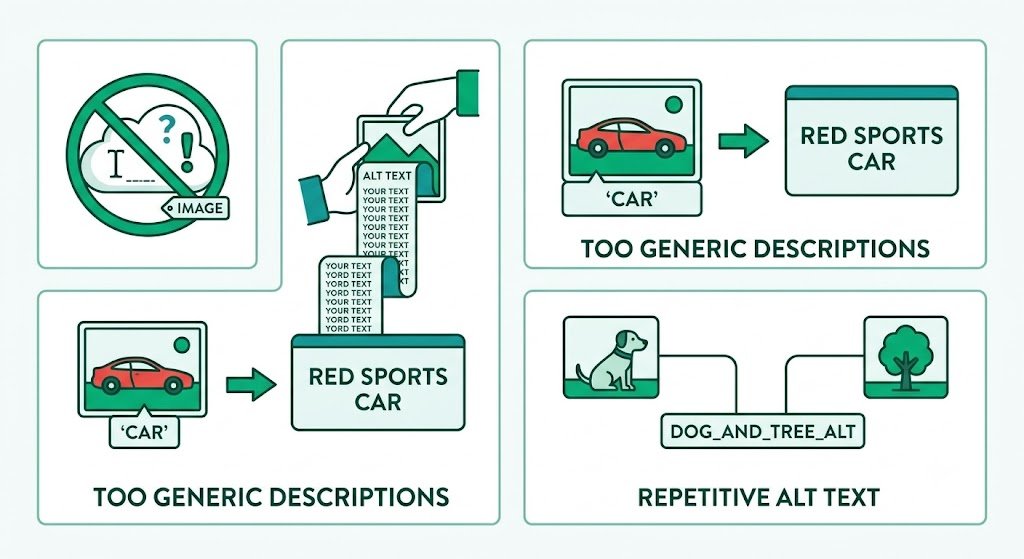
1. Leaving Alt Text Blank or Empty
One of the biggest mistakes. Screen readers skip these images entirely, and search engines get no context.
2. Using Generic or Vague Descriptions
“Image”, “photo”, “picture of dog” — these provide almost no value.
3. Keyword Stuffing
Forcing too many keywords makes alt text sound unnatural and can hurt rankings.
4. Starting with “Image of” or “Picture of”
Screen readers already announce it’s an image — this wastes characters and sounds redundant.
5. Copy-Pasting the Same Alt Text
Repeating descriptions across different images reduces relevance and accessibility value.
6. Making Alt Text Too Long
Over 150–200 characters becomes annoying for screen reader users.
7. Ignoring Context of the Page
Alt text should relate to the surrounding content, not exist in isolation.
8. Describing Decorative Images
Using alt text for purely decorative elements (use alt="" instead).
9. Using Filenames as Alt Text
“IMG_4567.jpg” tells users and search engines nothing useful.
10. Forgetting to Update Old Alt Text
When repurposing or updating content, old alt text can become irrelevant.
How to Write Better Alt Text: Best Practices
- Be specific and descriptive
- Use natural, conversational language
- Include relevant keywords naturally
- Keep it concise (80–125 characters ideal)
- Match the tone and purpose of your content
How Bulk Snap Helps You Avoid All Common Alt Text Mistakes
Bulk Snap from SBISnap.com is the ultimate solution for Solo Build It users who want error-free, high-quality alt text without the manual hassle.
Key Advantages:
- AI Context Awareness: Understands your full article topic and generates relevant alt text
- Natural Language Generation: Creates human-sounding descriptions that avoid robotic mistakes
- SEO Balance: Includes keywords naturally without stuffing
- Bulk Generation: Produces perfect alt text for hundreds of images instantly
- Complete Optimization: Also handles 100KB compression and SEO filenames
Step-by-Step: Creating Error-Free Alt Text with Bulk Snap
- Collect Your Images: Gather raw photos for your article.
- Upload to Bulk Snap: Visit SBISnap.com and upload the batch.
- Provide Context: Enter your article title or main keywords.
- Run Optimization: Let AI generate natural alt text along with compression and filenames.
- Review (Optional): Make minor adjustments if needed.
- Download & Upload: Get ready-to-use files for SBI.
Real Results from SBI Users
Success Story
“I used to make so many alt text mistakes — either too generic or too long. Bulk Snap creates natural, perfect alt text every time. My site is now more accessible, ranks better in image search, and I save hours every week. This tool is a game-changer!”
— Anjali Reddy, Recipe Niche SBI Site Owner
Conclusion: Avoid Alt Text Mistakes the Easy Way
Avoiding common alt text mistakes is essential for creating an accessible, SEO-strong, and user-friendly Solo Build It website. While you can learn and apply these best practices manually, doing so consistently across hundreds of images is challenging and time-consuming.
Bulk Snap from SBISnap.com eliminates these mistakes by automatically generating natural, high-quality, context-aware alt text while perfectly optimizing your images for SBI’s 100KB limit. It combines powerful AI with complete image optimization — compression, resizing, SEO filenames, and more — all in one easy-to-use tool designed specifically for Solo Build It users.
Stop risking SEO losses and accessibility issues with poor alt text. Let Bulk Snap handle the details so you can focus on creating outstanding content that ranks and resonates with your audience.
Ready to write better alt text without the effort? Visit SBISnap.com today and experience the easiest way to optimize images for Solo Build It.