Website Performance Through Image Cleanup: Boost Speed, Rankings & User Experience in Solo Build It
Is your Solo Build It website slower than it should be? Bloated, unoptimized, and outdated images in your Image Library are often the hidden culprit dragging down performance. Even if you optimized images when you first uploaded them, over time your library accumulates heavy files that increase load times, hurt Core Web Vitals, and negatively impact your Google rankings.
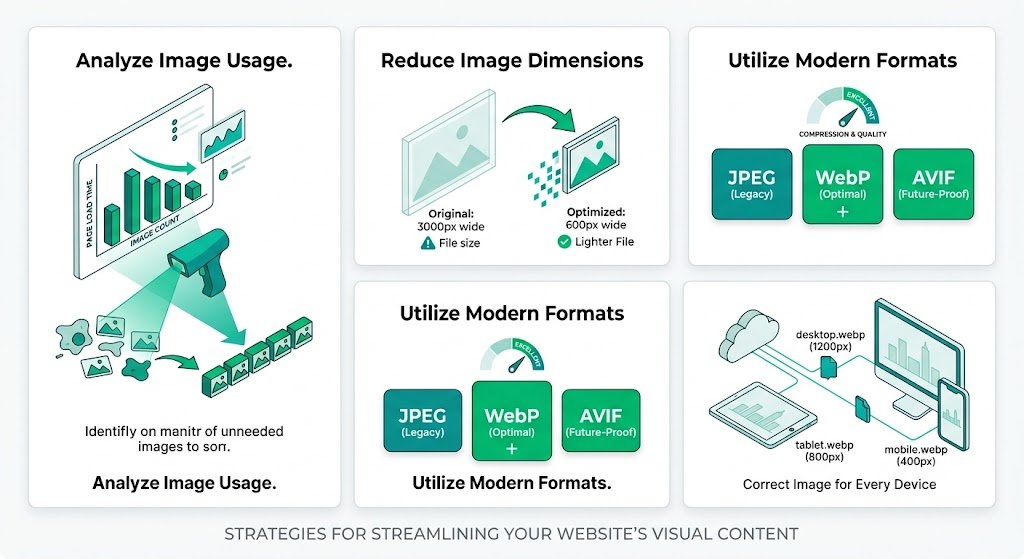
In this comprehensive guide, you’ll learn how to dramatically improve **website performance through image cleanup** in Solo Build It. Discover practical strategies to audit, optimize, and maintain a lean image library. Most importantly, see how Bulk Snap from SBISnap.com — the ultimate AI-powered bulk image optimization tool built exclusively for Solo Build It users — makes large-scale image cleanup fast, effortless, and highly effective by automating compression under 100KB, resizing, SEO filenames, alt text generation, and full optimization.
Why Image Cleanup Is One of the Best Ways to Improve SBI Website Performance
Images are frequently the heaviest assets on any website. In Solo Build It, where every image must stay under 100KB, an unmaintained library can quietly accumulate performance issues over months or years. Regular image cleanup delivers measurable benefits:
- Faster page load times and better Core Web Vitals scores
- Improved mobile performance and lower bounce rates
- Higher search rankings and more organic traffic
- Reduced server load and better overall site stability
- A cleaner, more professional Image Library
Many SBI users see 20–40 point gains in PageSpeed scores after a thorough image cleanup.
The Smart Solution: Bulk Snap makes large-scale image cleanup simple, fast, and highly effective.
Common Image-Related Performance Issues in Solo Build It
1. Accumulated Heavy Images
Older uploads that exceed modern performance standards.
2. Suboptimal Dimensions
Images that are unnecessarily large for their placement.
3. Outdated Filenames & Alt Text
Missing SEO value from generic or irrelevant descriptions.
4. Duplicate or Unused Images
Clutter that bloats your library without adding value.
5. Inconsistent Optimization
Mixed quality across different articles and years.
How Bulk Snap Makes Image Cleanup Fast & Effective
Bulk Snap from SBISnap.com is the perfect tool for Solo Build It users who want to clean up their image library without spending days on manual work. It handles large-scale cleanup with intelligence and precision.
Key Cleanup & Optimization Features:
- Bulk Re-Optimization: Process hundreds of existing images at once
- Advanced Compression: Reduces file sizes under 100KB while preserving quality
- Smart Resizing: Adjusts dimensions to ideal SBI standards
- AI SEO Filename & Alt Text Update: Modernizes old assets with fresh, relevant names and descriptions
- Clean Export System: Delivers organized, ready-to-replace files
Step-by-Step: Image Cleanup for Better Website Performance
- Audit Your Image Library: Identify heavy, outdated, or unused images in SBI.
- Export Images: Download images you want to clean up (in batches if needed).
- Upload to Bulk Snap: Visit SBISnap.com and upload your collection.
- Run Bulk Cleanup: Let AI re-optimize, resize, rename, and update alt text.
- Download Optimized Files: Get a fresh, high-performance image set.
- Replace in SBI: Update your Image Library with the cleaned versions.
- Test Performance: Measure PageSpeed improvements after cleanup.
Real Results: Dramatic Performance Gains Through Image Cleanup
Success Story
“My SBI site had become slow due to years of accumulated images. I used Bulk Snap to clean up over 600 images in one go. The difference was immediate — PageSpeed score jumped from 58 to 92 on mobile. Load times improved dramatically. This tool made a massive cleanup project actually doable!”
— Vikram Singh, Multi-Year SBI Site Owner
Advanced Tips for Ongoing Image Cleanup & Maintenance
- Schedule quarterly image library audits
- Use Bulk Snap presets for different cleanup goals (speed vs quality)
- Focus first on high-traffic pages and popular articles
- Combine cleanup with lazy loading and caching improvements
- Monitor performance metrics before and after each cleanup session
Comparison: Before vs After Image Cleanup
| Metric | Before Cleanup | After Bulk Snap Cleanup |
|---|---|---|
| Page Load Time | 4–8 seconds | 1.5–2.5 seconds |
| PageSpeed Mobile Score | 45–65 | 85–98 |
| Bounce Rate | Higher | Noticeably Lower |
Conclusion: Maintain Peak Performance with Regular Image Cleanup
Website performance through image cleanup is one of the most effective ways to keep your Solo Build It site fast, user-friendly, and competitive. Regular cleanup prevents performance degradation and ensures your visuals continue to support — rather than hinder — your goals.
While manual cleanup is possible, it’s slow and difficult to maintain at scale. Bulk Snap from SBISnap.com makes large-scale image cleanup fast, intelligent, and highly effective. It automates compression under 100KB, smart resizing, SEO filename updates, alt text improvement, and bulk processing — all in one powerful tool designed specifically for Solo Build It users.
Stop letting an outdated image library slow down your success. Start using Bulk Snap today for regular image cleanup and enjoy a consistently fast, professional, and high-performing Solo Build It website.
Ready to improve your website performance through image cleanup? Visit SBISnap.com now and experience the easiest way to optimize images for Solo Build It.