Common Image Format Mistakes in SBI: How to Choose the Right Format for Better Speed & Quality
Are you using the wrong image formats in your Solo Build It website? Many SBI users unknowingly make critical format mistakes that increase file sizes, slow down loading times, cause upload failures, and reduce overall image quality. Choosing the wrong format is one of the most common yet easily fixable issues that affects website performance and user experience.
In this comprehensive guide, you’ll discover the most frequent **image format mistakes in SBI** and exactly how to avoid them for faster, better-looking websites. Most importantly, learn how Bulk Snap from SBISnap.com — the ultimate AI-powered bulk image optimization tool built exclusively for Solo Build It users — intelligently selects and converts to the best formats while compressing under 100KB, generating SEO filenames, creating smart alt text, and handling bulk processing, making perfect format optimization effortless.
Why Image Format Choice Matters in Solo Build It
Solo Build It enforces a strict 100KB per image limit to ensure fast loading. Your choice of format directly impacts whether you meet this limit while maintaining visual quality. Wrong formats lead to:
- Larger file sizes and upload rejections
- Slower website performance
- Poor visual quality after heavy compression
- Weaker SEO and user experience
Understanding and using the right image formats is essential for professional, high-performing SBI websites.
The Smart Solution: Bulk Snap automatically chooses and converts to the best format for each image while meeting all SBI requirements.
Top 8 Common Image Format Mistakes SBI Users Make
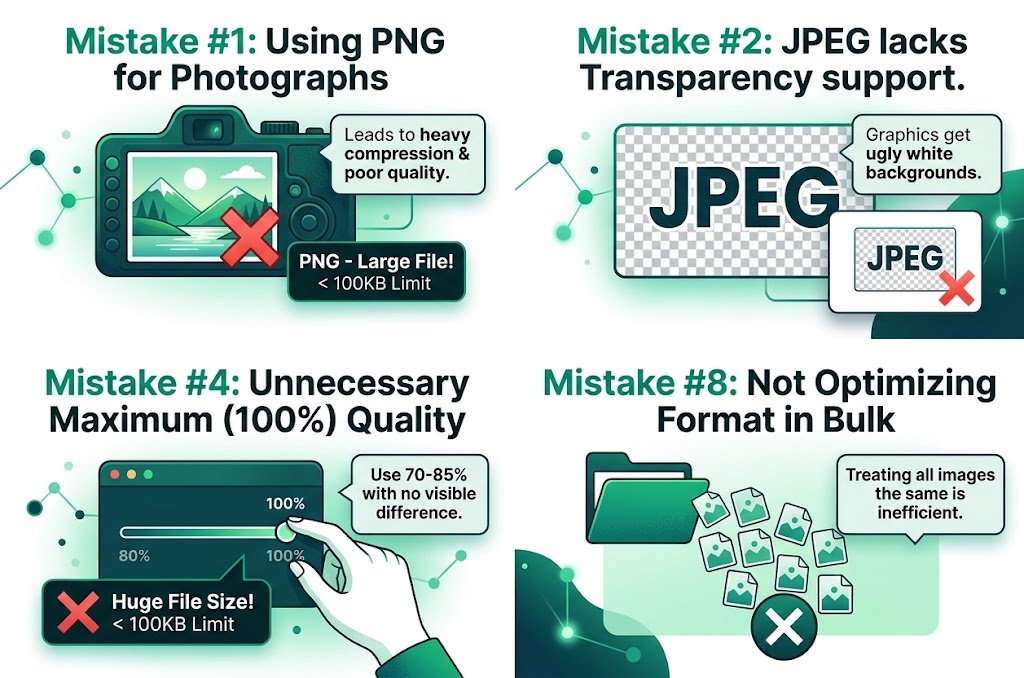
1. Using PNG for Photographs
PNG files are much larger than JPEG for photos. This often leads to heavy compression and quality loss to meet the 100KB limit.
2. Using JPEG for Graphics with Transparency
JPEG doesn’t support transparency, resulting in ugly white backgrounds or forced conversion issues.
3. Not Using WebP When Available
WebP offers 25-35% smaller file sizes than JPEG/PNG with similar or better quality, yet many users stick to older formats.
4. Saving at Maximum Quality (100%)
Unnecessarily large files that could be reduced to 70-85% quality with almost no visible difference.
5. Inconsistent Format Usage Across Articles
Mixing formats randomly creates uneven performance and maintenance issues.
6. Ignoring Progressive JPEGs
Non-progressive images appear all at once or not at all, creating poor perceived loading experience.
7. Using BMP or Other Outdated Formats
Extremely large and unsupported formats cause major upload and performance problems.
8. Not Optimizing Format Based on Image Type
Treating all images the same instead of using the best format for photos vs graphics.
How Bulk Snap Automatically Avoids Image Format Mistakes
Bulk Snap from SBISnap.com is the most intelligent solution for Solo Build It users. It analyzes each image and chooses the optimal format while ensuring perfect 100KB compliance.
Key Format Optimization Features:
- Smart Format Selection: Automatically picks JPEG, PNG, or WebP based on image content
- Advanced Compression Algorithms: Delivers maximum quality at minimum size
- Progressive Loading Support: Improves perceived performance
- Bulk Format Conversion: Handles hundreds of images with consistent excellence
- Complete SEO Package: Also generates SEO filenames and alt text
Step-by-Step: Avoiding Format Mistakes with Bulk Snap
- Collect Your Images: Gather raw photos for your article in one folder.
- Upload to Bulk Snap: Visit SBISnap.com and upload your batch.
- Provide Context: Enter your article title or keywords.
- Select Optimization Preset: Choose “SBI Image Library – Best Format & Quality”.
- Run Processing: Let AI select optimal formats, compress, resize, and optimize.
- Download Ready Files: Get perfectly formatted images ready for SBI.
- Upload to SBI: Import with confidence and enjoy better performance.
Real Results from SBI Users
Success Story
“I was making so many format mistakes — using PNG for photos and ending up with huge files or poor quality. Bulk Snap now automatically chooses the best format for every image. My site loads faster, images look sharper, and I save hours every week. This tool is fantastic!”
— Carlos Rivera, Spain
Advanced Tips for Image Format Optimization in SBI
- Use WebP for modern browsers with JPEG fallback
- Save JPEGs at 70-85% quality for the best balance
- Use PNG only when transparency is needed
- Regularly audit your library for outdated formats
- Test loading speed after format changes
Comparison: Common Mistakes vs Optimized Approach
| Aspect | Common Mistakes | With Bulk Snap |
|---|---|---|
| File Size Efficiency | Poor | Excellent |
| Visual Quality | Inconsistent | Professional |
| Loading Speed | Slow | Fast |
| Time Required | High | Very Low |
Conclusion: Choose the Right Format Every Time with Bulk Snap
Avoiding common image format mistakes is essential for creating fast, beautiful, and professional Solo Build It websites. The right format choice directly impacts loading speed, visual quality, and user experience.
While you can learn and apply these best practices manually, doing so consistently at scale is challenging. Bulk Snap from SBISnap.com makes perfect format optimization effortless. It intelligently selects and converts to the best format for each image while compressing under 100KB, creating SEO filenames, generating smart alt text, and handling bulk processing — all in one powerful tool designed specifically for Solo Build It users.
Stop making costly format mistakes. Let Bulk Snap handle your image optimization the smart way so you can focus on creating great content that ranks and converts.
Ready to fix your image format issues? Visit SBISnap.com today and experience the easiest way to optimize images for Solo Build It.