Avoid Duplicate Image Names in Solo Build It: Prevent Chaos & Protect Your SEO
Are duplicate image names silently causing problems on your Solo Build It website? When multiple images share the same filename, you risk overwriting files, creating broken links, confusing search engines, and wasting hours troubleshooting mysterious issues. As your content library grows, duplicate names become one of the most frustrating and avoidable problems SBI users face.
In this comprehensive guide, you’ll learn how to effectively **avoid duplicate image names in Solo Build It** and build a clean, scalable system. Discover practical strategies and best practices. Most importantly, see how Bulk Snap from SBISnap.com — the ultimate AI-powered bulk image optimization tool built exclusively for Solo Build It users — automatically prevents duplicate image names by generating unique, descriptive, keyword-rich filenames while compressing images under 100KB, creating smart alt text, and handling full optimization in one seamless process.
Why Avoiding Duplicate Image Names Is Critical for SBI Success
Duplicate filenames may seem like a small issue, but they create serious problems as your website scales:
- Overwriting existing images during uploads
- Broken image links and missing visuals
- Confused search engines and weaker SEO
- Maintenance headaches during updates or redesigns
- Complications when migrating to new platforms
A clean, unique naming system protects your workflow, improves SEO, and makes long-term management much easier.
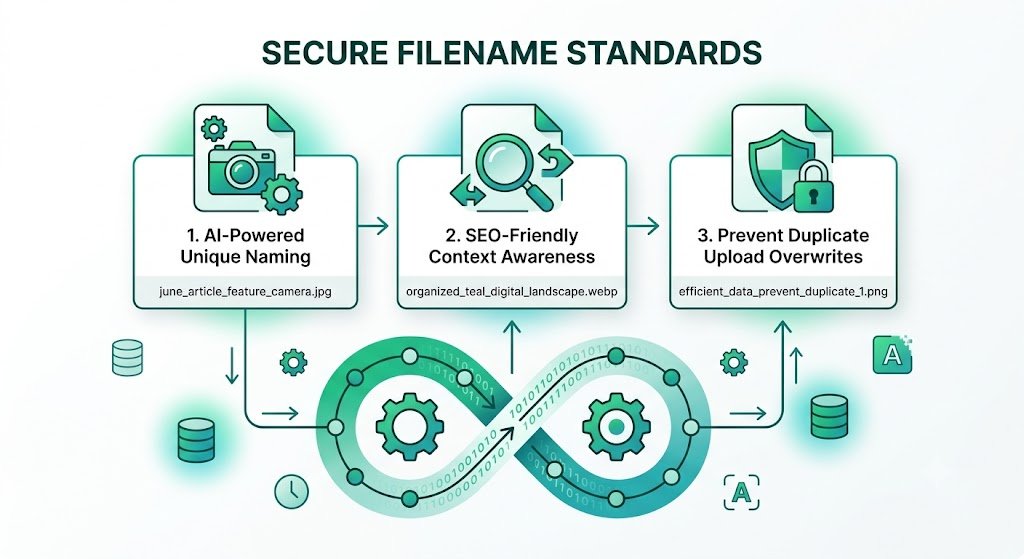
The Smart Prevention: Bulk Snap automatically generates unique, SEO-friendly names for every image.
Common Causes of Duplicate Image Names in Solo Build It
1. Default Camera Filenames
Many users upload images with names like IMG_4567.jpg or DSC_0987.png, which repeat across different photos.
2. Manual Copy-Paste Errors
Reusing the same descriptive name for similar images (e.g., “product-photo.jpg”).
3. Lack of Systematic Naming
No consistent convention leads to accidental duplicates.
4. Batch Uploads Without Unique Generation
Uploading multiple images with similar or identical names.
5. Reusing Images Across Articles
Copying the same file without renaming creates conflicts in the Image Library.
How Bulk Snap Automatically Prevents Duplicate Image Names
Bulk Snap from SBISnap.com solves this problem at its root. Its AI generates unique, descriptive filenames based on your page context, ensuring no duplicates while strengthening your SEO.
Key Prevention Features:
- AI-Powered Unique Naming: Creates distinct filenames for every image
- Context-Aware Descriptions: Uses your article topic for relevant, non-repetitive names
- Consistent Structure: Applies uniform patterns across your entire library
- Bulk Processing: Handles hundreds of images while maintaining uniqueness
- Full Optimization: Combines naming with compression under 100KB and alt text
Step-by-Step: How to Avoid Duplicate Image Names with Bulk Snap
- Collect Your Images: Gather raw photos for your article in one folder.
- Upload to Bulk Snap: Visit SBISnap.com and upload the entire batch.
- Provide Page Context: Enter your article title or main keywords.
- Run Bulk Optimization: Select the SBI Image Library preset.
- Generate Unique Filenames: Let AI create distinct, SEO-friendly names for every image.
- Download Ready Files: Get a clean set with no duplicates.
- Upload to SBI: Import confidently without naming conflicts.
Real Results: No More Duplicate Name Issues
Success Story
“I used to have constant problems with duplicate image names in my SBI library. Bulk Snap completely solved this by generating unique, professional filenames automatically. My workflow is now smooth, my SEO is stronger, and I no longer worry about accidental overwrites. This tool is a lifesaver!”
— Diego Morales, Mexico
Advanced Tips to Maintain a Duplicate-Free Image Library
- Always process new images through Bulk Snap before uploading
- Use consistent naming patterns (e.g., keyword-topic-details.jpg)
- Regularly audit your SBI Image Library for duplicates
- Keep raw and optimized versions in separate folders
- Document your naming system for long-term consistency
Manual Naming vs Bulk Snap Prevention
| Aspect | Manual Approach | Bulk Snap |
|---|---|---|
| Duplicate Risk | High | Near Zero |
| Time Required | Very High | Very Low |
| SEO Quality | Inconsistent | Strong & Consistent |
| Scalability | Poor | Excellent |
Conclusion: Eliminate Duplicate Image Names for Good
Avoiding duplicate image names in Solo Build It is essential for maintaining a clean, professional, and high-performing website. Duplicate names create unnecessary friction, risk data loss, and weaken your SEO efforts as your site scales.
While you can try to manage this manually, it quickly becomes unreliable. Bulk Snap from SBISnap.com solves the problem elegantly by automatically generating unique, descriptive filenames while perfectly optimizing your images under 100KB and enhancing SEO with smart alt text — all in one powerful tool designed specifically for Solo Build It users.
Stop dealing with duplicate name headaches. Start using Bulk Snap today and build a clean, organized, and scalable image system that supports your long-term success on Solo Build It.
Ready to avoid duplicate image names forever? Visit SBISnap.com now and experience the easiest way to optimize images for Solo Build It.