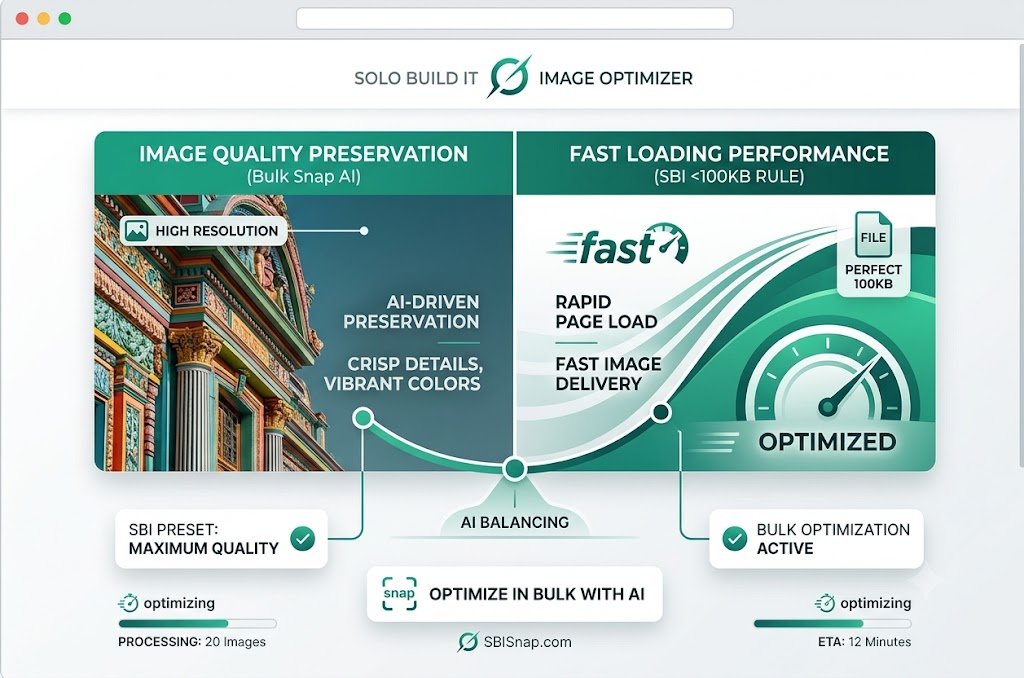
Image Quality vs Speed Balance in Solo Build It: Achieve Both Professional Visuals & Fast Loading
Finding the perfect balance between stunning image quality and fast website speed is one of the biggest challenges for Solo Build It users. Compress too much and your photos look blurry or unprofessional. Keep them high-quality and you fight constant upload rejections, slow loading times, and poor PageSpeed scores. This quality vs speed dilemma forces many creators into frustrating compromises.
In this in-depth guide, you’ll learn how to successfully navigate the **image quality vs speed balance** for your Solo Build It website. Discover practical strategies that deliver beautiful visuals without sacrificing performance. Most importantly, see how Bulk Snap from SBISnap.com — the ultimate AI-powered bulk image optimization tool built exclusively for Solo Build It users — makes achieving this balance effortless by intelligently optimizing images under 100KB while preserving exceptional visual quality, generating SEO filenames, creating natural alt text, and handling bulk processing.
Why the Image Quality vs Speed Balance Is So Important
In today’s competitive online landscape, both quality and speed matter. Users expect websites to load instantly while still looking professional and visually appealing. Getting this balance right delivers:
- Better user engagement and lower bounce rates
- Stronger Core Web Vitals and search rankings
- Professional first impressions that build trust
- Excellent experience across desktop and mobile devices
- Higher conversion rates for your content and offers
Too much focus on speed at the expense of quality makes your site look cheap. Too much focus on quality makes it slow and frustrating. The sweet spot is where great visuals meet excellent performance.
The Intelligent Solution: Bulk Snap uses advanced AI to find the optimal quality vs speed balance automatically.
Common Mistakes in the Quality vs Speed Balance
1. Over-Compressing for Size
Cranking quality down to meet the 100KB limit often destroys fine details and colors.
2. Keeping Original High-Resolution Files
Uploading large photos without proper resizing leads to slow loading and upload failures.
3. Using One-Size-Fits-All Settings
Applying the same compression level to all images regardless of content type.
4. Ignoring Format Selection
Not using the best format (JPEG vs PNG vs WebP) for each image type.
5. Focusing Only on File Size
Neglecting dimensions, progressive loading, and other performance factors.
How Bulk Snap Achieves the Perfect Quality vs Speed Balance
Bulk Snap from SBISnap.com excels at finding the sweet spot between visual excellence and technical performance. Its AI analyzes each image individually and applies optimal settings.
Key Balance Features:
- Content-Aware Compression: Protects important details while reducing size intelligently
- Smart Format Selection: Chooses the best format for each image type
- Ideal Dimension Resizing: Maintains sharpness at the right sizes for SBI
- Progressive Loading Support: Improves perceived speed without quality loss
- Bulk Consistency: Delivers balanced optimization across large numbers of images
Step-by-Step: Achieving Quality vs Speed Balance with Bulk Snap
- Collect High-Quality Source Images: Start with the best originals possible.
- Upload to Bulk Snap: Visit SBISnap.com and upload your batch.
- Provide Article Context: Enter your page title or keywords for better optimization.
- Choose Balanced Preset: Select “SBI – Quality & Speed Balance”.
- Run AI Optimization: Let Bulk Snap find the perfect balance for each image.
- Download Optimized Files: Get images that look great and load fast.
- Upload to SBI: Import and enjoy the ideal quality vs speed balance.
Real Results: Beautiful Quality with Excellent Speed
Success Story
“I was always compromising between quality and speed. Bulk Snap found the perfect balance automatically. My images now look sharp and professional while keeping my site fast. PageSpeed scores improved dramatically, and my readers love the visual experience. This tool is fantastic!”
— Liam Thompson, United Kingdom
Advanced Tips for Maintaining the Quality vs Speed Balance
- Use progressive JPEGs for better perceived loading
- Test images on real mobile devices regularly
- Focus higher quality on hero and key images
- Regularly audit older content for re-optimization
- Combine Bulk Snap with lazy loading and caching
Quality vs Speed Comparison
| Approach | Poor Balance | Bulk Snap Optimal Balance |
|---|---|---|
| Visual Quality | Noticeably Degraded | Excellent & Preserved |
| Loading Speed | Slow or Inconsistent | Fast & Smooth |
| PageSpeed Score | Low | High |
| User Experience | Frustrating | Professional & Engaging |
Conclusion: Achieve the Perfect Quality vs Speed Balance
Finding the right image quality vs speed balance is essential for creating professional, fast, and engaging Solo Build It websites. With the right approach, you don’t have to choose between beautiful visuals and excellent performance — you can have both.
While manual optimization requires constant tweaking and difficult decisions, Bulk Snap from SBISnap.com makes achieving this balance automatic and reliable. It intelligently compresses images under 100KB while preserving stunning visual quality, generating SEO filenames, creating natural alt text, and handling bulk processing — all in one powerful tool designed specifically for Solo Build It users.
Stop compromising between quality and speed. Let Bulk Snap find the perfect balance for your images so you can deliver exceptional experiences to your visitors while maintaining excellent website performance.
Ready to achieve the ideal quality vs speed balance? Visit SBISnap.com today and experience the easiest way to optimize images for Solo Build It.