Reduce Migration Issues with Optimized Images: Smooth Transition from Solo Build It
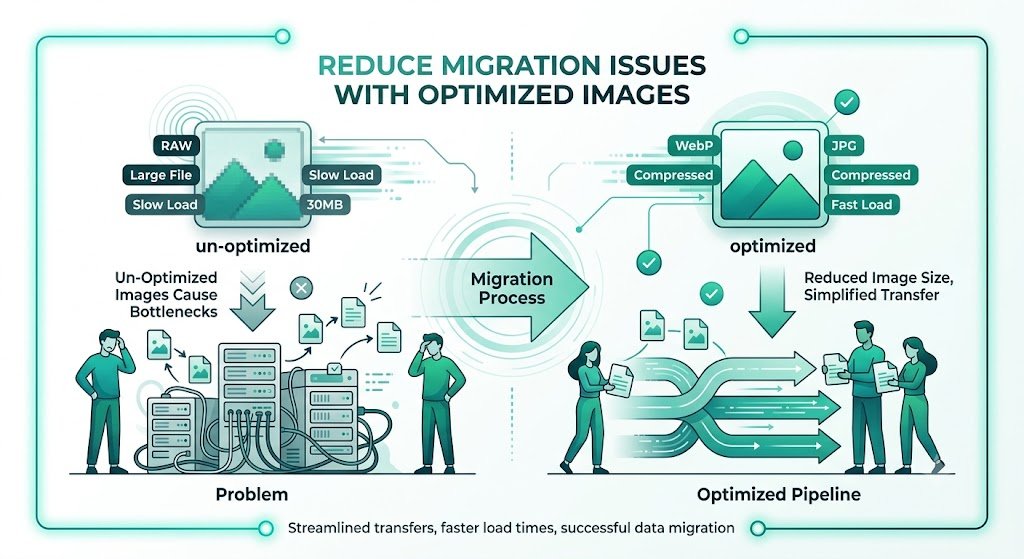
Migrating away from Solo Build It but worried about image-related headaches? Broken links, degraded quality, lost SEO value, slow performance on the new platform, and hours of manual cleanup are common migration nightmares. Your image library is one of your most valuable assets — optimizing it properly before migration is essential for a smooth, successful transition.
In this complete guide, you’ll learn proven strategies to **reduce migration issues with optimized images** when leaving Solo Build It. Discover how to prepare your media library for a clean, high-quality move. Most importantly, see how Bulk Snap from SBISnap.com — the ultimate AI-powered bulk image optimization tool built exclusively for Solo Build It users — makes the entire preparation process effortless by automating compression, resizing, SEO filenames, alt text generation, and full optimization, helping you migrate with confidence and professional results.
Why Optimized Images Are Critical for Reducing Migration Issues
Your images represent years of visual branding and content investment. Without proper optimization before migration, you risk:
- Broken or missing images on the new platform
- Significant quality loss from improper handling
- Weak SEO due to poor filenames and alt text
- Slower performance and higher bounce rates
- Extra time and cost fixing issues after migration
Smart image optimization before migration protects your assets and can even improve your new website’s speed and SEO performance.
The Smart Solution: Bulk Snap automates intelligent image optimization tailored for smooth platform transitions.
Common Migration Issues Caused by Poor Image Optimization
1. Broken Image Links
Files that fail to transfer or have changed names create 404 errors.
2. Quality Degradation
Over-compression or wrong resizing leads to blurry visuals on the new site.
3. SEO Value Loss
Generic filenames and weak alt text reduce search visibility.
4. Performance Problems
Unoptimized heavy images slow down the new website.
5. Organizational Chaos
Disorganized exports make importing and managing images difficult.
How Bulk Snap Reduces Migration Issues Through Smart Optimization
Bulk Snap from SBISnap.com is the ideal tool for Solo Build It users preparing for migration. It handles the complex preparation work intelligently while preserving quality and enhancing SEO value.
Key Migration-Focused Features:
- Bulk Export Preparation: Processes large libraries efficiently
- Intelligent Compression: Reduces size while protecting visual quality
- Smart Resizing: Adjusts dimensions for your new platform’s needs
- AI SEO Optimization: Creates clean filenames and relevant alt text
- Organized Export: Delivers structured, ready-to-import packages
Step-by-Step: How to Reduce Migration Issues with Bulk Snap
- Audit Your SBI Library: Review and categorize images for migration.
- Export from SBI: Download images in organized batches.
- Upload to Bulk Snap: Visit SBISnap.com and upload your collection.
- Set New Platform Context: Provide details about your target website.
- Run Full Optimization: Let AI resize, compress, rename, and update alt text.
- Download Clean Package: Get optimized, organized files ready for the new platform.
- Import & Verify: Upload to your new site and test thoroughly.
Real Migration Success Stories
Success Story
“I was worried about losing image quality and dealing with broken links during migration. Bulk Snap handled everything perfectly — quality was preserved, filenames were SEO-optimized, and the process was incredibly smooth. My new site looks better and performs better than my old SBI one!”
— Fatima Al-Sayed, United Arab Emirates
Advanced Strategies for Smooth Image Migration
- Create separate backups of original high-resolution files
- Use Bulk Snap presets customized for your new platform
- Test small batches on the new site before full migration
- Update internal links systematically after import
- Monitor performance and SEO in the weeks following migration
Manual Preparation vs Bulk Snap Optimization
| Aspect | Manual Preparation | Bulk Snap |
|---|---|---|
| Time Required | Weeks of work | Hours |
| Quality Preservation | Risky | Excellent |
| SEO Readiness | Basic | Strong |
| Migration Stress | Very High | Very Low |
Conclusion: Migrate Smoothly with Optimized Images
Reducing migration issues with optimized images is one of the most important steps for a successful transition from Solo Build It. Proper preparation protects your visual assets, maintains SEO value, and ensures a professional launch on your new platform.
While manual optimization is possible, it’s slow, inconsistent, and risky at scale. Bulk Snap from SBISnap.com makes the entire process effortless and reliable. It intelligently optimizes images for quality and performance, creates SEO-friendly filenames, generates relevant alt text, and delivers clean, organized packages ready for your new website.
Don’t let poor image preparation complicate your migration. Use Bulk Snap to prepare your images professionally and migrate with confidence, speed, and excellent results.
Ready to reduce migration issues with optimized images? Visit SBISnap.com today and experience the easiest way to prepare images when leaving Solo Build It.