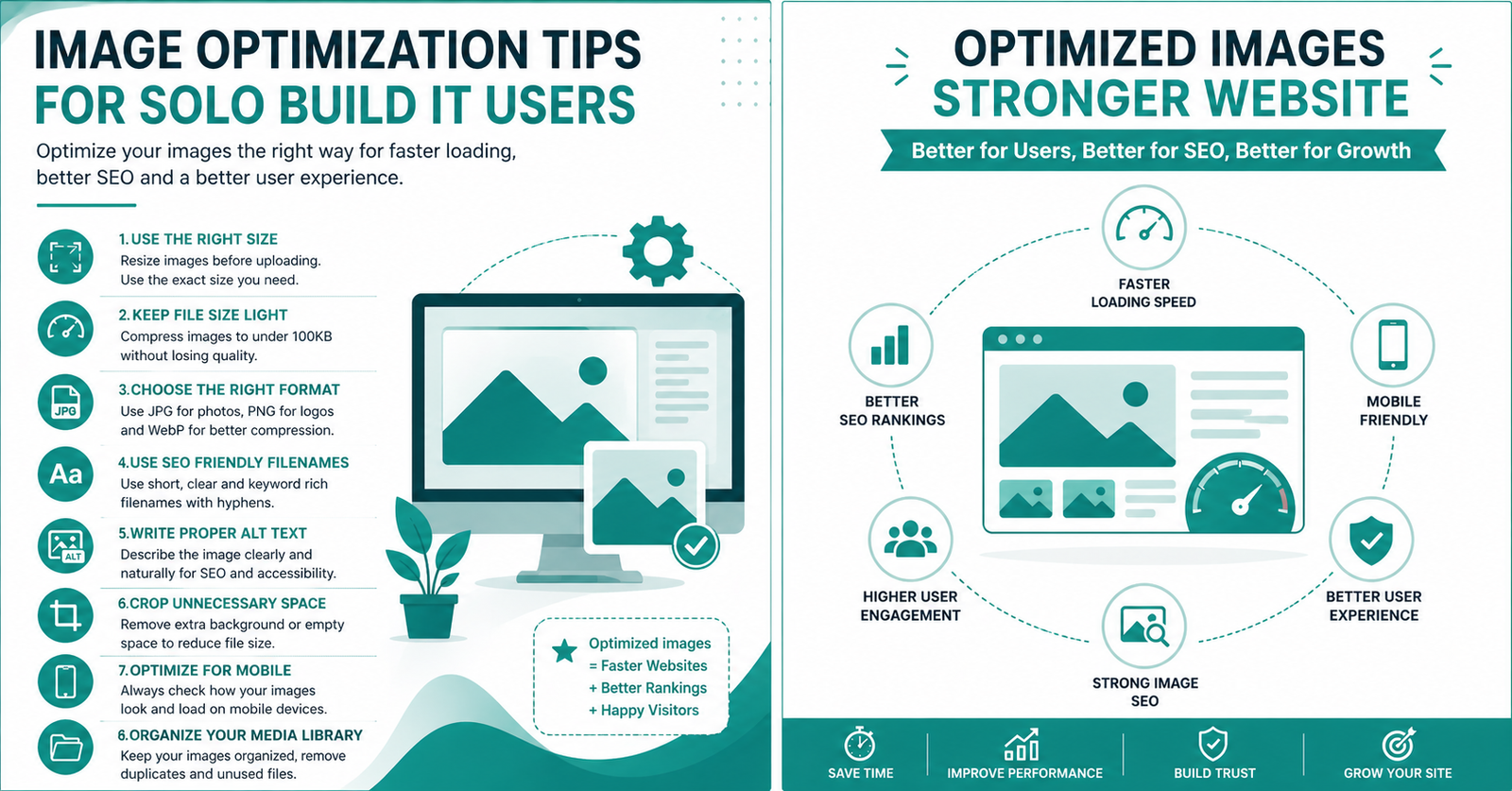
Image Optimization Tips for Solo Build It Users: Boost Speed, SEO & Rankings
Images can make or break your Solo Build It website. Poorly optimized images slow down your site, hurt Google rankings, and frustrate visitors. But when done right, they improve user experience, boost SEO, and help your SBI site load blazing fast.
In this ultimate guide, you’ll discover the best image optimization tips specifically for Solo Build It users. More importantly, you’ll learn how Bulk Snap from SBISnap.com makes all these optimizations effortless — so you can spend less time on technical work and more time building a profitable online business.
Why Image Optimization is Critical for SBI Success
Solo Build It’s Image Library has a strict 100KB limit per image for good reason. Large images increase load times, damage mobile experience, and hurt your Core Web Vitals scores. Google rewards fast, well-optimized websites with better rankings.
Well-optimized images deliver:
- Faster page speed
- Better search rankings (including Google Images)
- Lower bounce rates
- Improved accessibility
- Higher visitor satisfaction
Yet most SBI users still struggle with manual optimization. That’s where Bulk Snap changes everything.
Manual optimization reality: Hours of resizing, renaming, and writing alt text.
Bulk Snap reality: AI-powered bulk optimization in minutes — perfect for SBI.
10 Essential Image Optimization Tips for Solo Build It
1. Always Keep Images Under 100KB
This is the golden rule for SBI. Aim for 60-90KB for best results. Reducing size without losing quality is an art — and Bulk Snap masters it automatically.
2. Choose the Right Dimensions
Use these SBI-friendly sizes:
• Hero/Featured images: 1200–1400px wide
• Content images: 700–900px wide
• Small images: 400–600px
3. Create SEO-Friendly Filenames
Bad: img_456.jpg
Good: best-keto-low-carb-pizza-recipe.jpg
Bulk Snap’s AI automatically generates powerful, keyword-rich filenames based on your page topic.
4. Write Descriptive Alt Text
Alt text helps accessibility and SEO. Bulk Snap intelligently creates context-aware alt text for every image, saving you hours of manual work.
5. Pick the Right Format
JPEG for photos, PNG for graphics/logos, WebP for best modern compression. Bulk Snap chooses and converts intelligently.
Advanced Image Optimization Strategies for SBI
6. Compress Smartly, Not Blindly
Heavy compression ruins quality. Smart compression (what Bulk Snap uses) maintains visual appeal while hitting the 100KB target.
7. Use Consistent Image Styles
Maintain brand consistency across your site. Bulk Snap helps process entire articles with uniform quality and style.
8. Implement Lazy Loading
Enable lazy loading in SBI so images load only when visible. Combined with optimized file sizes, this dramatically improves speed.
9. Optimize for Mobile First
Most SBI traffic comes from mobile. Smaller, faster images are essential for users in India and other regions with variable internet speeds.
10. Regular Image Library Audit
Review and re-optimize old images. Bulk Snap makes batch re-optimization fast and simple.
Real Results from SBI Users
“Bulk Snap optimized 65 images for my latest article in under 10 minutes. All under 95KB, perfect filenames, and great alt text. My PageSpeed score jumped from 68 to 94!”
— Rahul Mehra, Lucknow
How Bulk Snap Makes Image Optimization Easy and Automatic
Bulk Snap from SBISnap.com is the ultimate image optimization companion built exclusively for Solo Build It members. It combines powerful AI with bulk processing to handle everything in one go.
- Bulk Resizing & Compression: Automatically delivers perfect under-100KB images without quality loss.
- AI SEO Filenames: Generates highly descriptive, search-engine-friendly names.
- Smart Alt Text Generator: Creates unique, relevant alt text for every image based on your content.
- One-Click Bulk Processing: Handle dozens or hundreds of images at once.
- SBI-Ready Output: Download a zip file perfectly prepared for the SBI Image Library.
Just upload your raw images, enter your article topic once, and let Bulk Snap work its magic.
Step-by-Step Image Optimization Workflow with Bulk Snap
- Collect all images for your new SBI article in one folder.
- Go to SBISnap.com and upload the batch.
- Enter your page title or main keyword for AI context.
- Select the “SBI Optimized” preset.
- Click Process — AI handles compression, resizing, filenames, and alt text.
- Download the ready-to-upload files.
- Import directly into your Solo Build It Image Library.
Total time: Usually 5–12 minutes, even for image-heavy articles.
Measuring Success: Track Your Image Optimization Results
After implementing these tips and using Bulk Snap, monitor:
- Google PageSpeed Insights scores
- Core Web Vitals performance
- Google Search Console image impressions
- Page load time before and after
- Bounce rate and time on page
Most users see noticeable improvements in rankings and traffic within weeks.
Common Image Optimization Mistakes to Avoid in SBI
- Uploading oversized images and hoping SBI will handle it
- Using generic filenames from your camera
- Leaving alt text blank
- Over-compressing images until they look bad
- Processing images one by one instead of in bulk
Bulk Snap helps you avoid all these mistakes automatically.
Final Tips for Long-Term SBI Image Success
Develop a consistent workflow. Use Bulk Snap for every new article. Re-optimize older content when you have time. Combine strong images with excellent written content and proper internal linking for maximum SEO power.
Remember: Image optimization is not just technical busywork — it’s a powerful ranking and user experience strategy.
Ready to Transform Your Image Workflow?
Stop struggling with manual image optimization. Let Bulk Snap from SBISnap.com handle the heavy lifting while you focus on creating amazing content that ranks and converts.
Whether you’re just starting your first SBI site or managing multiple established properties, Bulk Snap gives you professional-grade image optimization with zero hassle.
Start Optimizing Images Faster with Bulk Snap Today →
Conclusion
Mastering image optimization is one of the smartest investments you can make in your Solo Build It website. Fast-loading, well-optimized images improve everything from user experience to search rankings.
While these tips give you the knowledge, Bulk Snap from SBISnap.com gives you the power to apply them quickly and consistently. It’s the easiest way for SBI users to resize images under 100KB, create SEO filenames, generate alt text, and process everything in bulk.
Take your SBI sites to the next level. Visit SBISnap.com today and experience the difference professional image optimization can make.