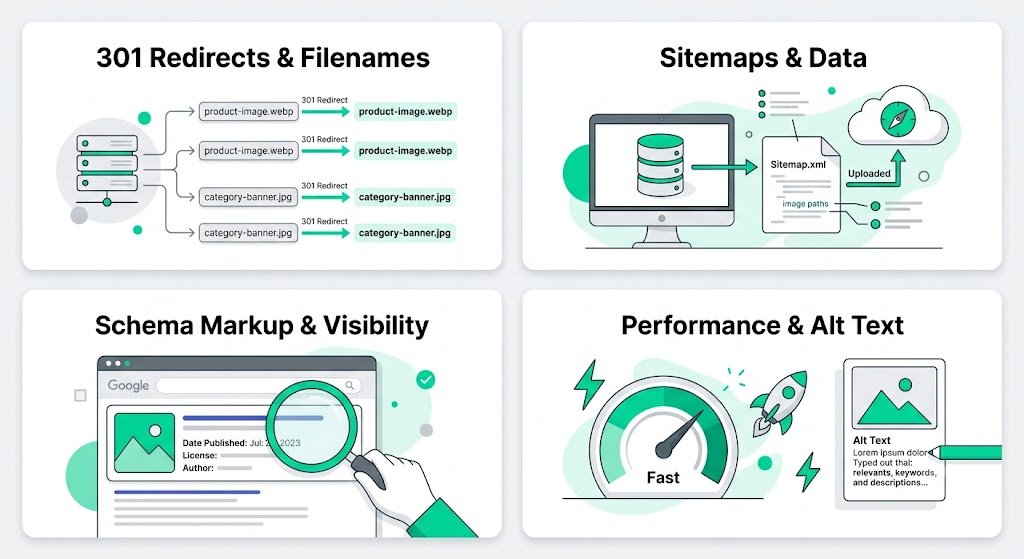
Maintain Image SEO After Migration from Solo Build It: Preserve & Enhance Your Search Visibility
Successfully migrated from Solo Build It but worried about losing your hard-earned image SEO? Many users see a drop in image search traffic and overall rankings after migration due to broken links, poor filenames, weak alt text, and unoptimized images on the new platform. Your images are valuable SEO assets — maintaining and even improving their search performance after migration is essential for long-term success.
In this comprehensive guide, you’ll learn how to effectively **maintain image SEO after migration** from Solo Build It. Discover strategies to audit, optimize, and strengthen your image SEO on the new platform. Most importantly, see how Bulk Snap from SBISnap.com — the ultimate AI-powered bulk image optimization tool built exclusively for Solo Build It users — makes the entire preparation and optimization process effortless by automating compression, resizing, SEO filenames, alt text generation, and full optimization before and during migration.
Why Maintaining Image SEO After Migration Is Critical
Images often contribute significantly to your website’s organic traffic through Google Image Search. After migration, failing to maintain image SEO can lead to:
- Loss of existing image search rankings
- Broken images and missing visuals
- Weak SEO signals on the new platform
- Reduced overall page authority
- Long recovery time for lost traffic
A strategic approach to image SEO during and after migration helps you preserve and even enhance your search visibility.
The Smart Solution: Bulk Snap automates intelligent image SEO optimization tailored for smooth migrations.
Common Image SEO Issues After Migration from Solo Build It
1. Broken or Missing Images
Files that fail to transfer or have incorrect paths create 404 errors.
2. Generic Filenames
Carrying over poor names that provide no SEO value.
3. Weak or Missing Alt Text
Hurts both accessibility and search relevance.
4. Suboptimal File Sizes & Dimensions
Images not properly adapted for the new platform’s performance needs.
5. Loss of Context
Alt text and filenames that no longer match the new site structure.
Best Practices for Maintaining Image SEO After Migration
1. Prepare Images Before Migration
Optimize and organize your library thoroughly while still on Solo Build It.
2. Create SEO-Friendly Filenames
Use descriptive, keyword-rich names on the new platform.
3. Update Alt Text Strategically
Ensure descriptions remain relevant to the new site’s content.
4. Implement Proper Technical Setup
Use correct image formats, lazy loading, and responsive techniques.
5. Monitor & Adjust Post-Migration
Track image search performance and fix issues quickly.
How Bulk Snap Helps Maintain Image SEO During & After Migration
Bulk Snap from SBISnap.com is the ideal tool for Solo Build It users preparing for migration. It ensures your images are SEO-ready before you move and makes post-migration optimization simple.
Key SEO Maintenance Features:
- Bulk Pre-Migration Optimization: Prepares your entire library efficiently
- AI SEO Filename Generator: Creates strong, descriptive names
- Context-Aware Alt Text: Generates relevant descriptions
- Intelligent Compression: Maintains quality while meeting new platform needs
- Organized Export: Delivers clean packages for easy import
Step-by-Step: Maintaining Image SEO with Bulk Snap
- Audit Your SBI Library: Review images for migration readiness.
- Export from SBI: Download images in organized batches.
- Upload to Bulk Snap: Visit SBISnap.com and upload your collection.
- Set New Platform Goals: Provide details about your target website.
- Run Full SEO Optimization: Let AI update filenames, alt text, and optimize images.
- Download SEO-Ready Package: Get files optimized for the new platform.
- Import & Monitor: Upload to your new site and track image SEO performance.
Real Migration Success Stories
Success Story
“I was concerned about losing image SEO during migration from SBI. Bulk Snap helped me prepare everything perfectly — strong filenames, relevant alt text, and optimized files. My new site maintained and even improved its image search visibility. The entire process was smooth and professional.”
— Sophia Laurent, France
Advanced Tips for Long-Term Image SEO Maintenance After Migration
- Regularly audit image performance on the new platform
- Update alt text when revising older content
- Monitor Google Search Console for image-related issues
- Re-optimize images periodically for new platform requirements
- Use structured data where appropriate for rich results
Pre-Migration vs Post-Migration SEO with Bulk Snap
| Aspect | Without Proper Preparation | With Bulk Snap |
|---|---|---|
| Image Search Visibility | Often Drops | Preserved or Improved |
| SEO Recovery Time | Months | Days to Weeks |
| Quality Consistency | Variable | Professional |
| Effort Required | Very High | Very Low |
Conclusion: Maintain Strong Image SEO After Migration
Maintaining image SEO after migration from Solo Build It requires thoughtful preparation and ongoing attention. With the right strategies and tools, you can preserve your hard-earned search visibility and even improve it on your new platform.
While manual optimization is possible, it’s slow and risky during migration. Bulk Snap from SBISnap.com makes maintaining image SEO straightforward and effective. It automates bulk optimization, creates strong SEO filenames, generates relevant alt text, and prepares your images perfectly for the new platform — all in one powerful tool designed specifically for Solo Build It users.
Don’t let migration weaken your image SEO. Use Bulk Snap to prepare your images professionally and maintain strong search visibility long after moving to your new website.
Ready to maintain image SEO after migration? Visit SBISnap.com today and experience the easiest way to optimize images when leaving Solo Build It.