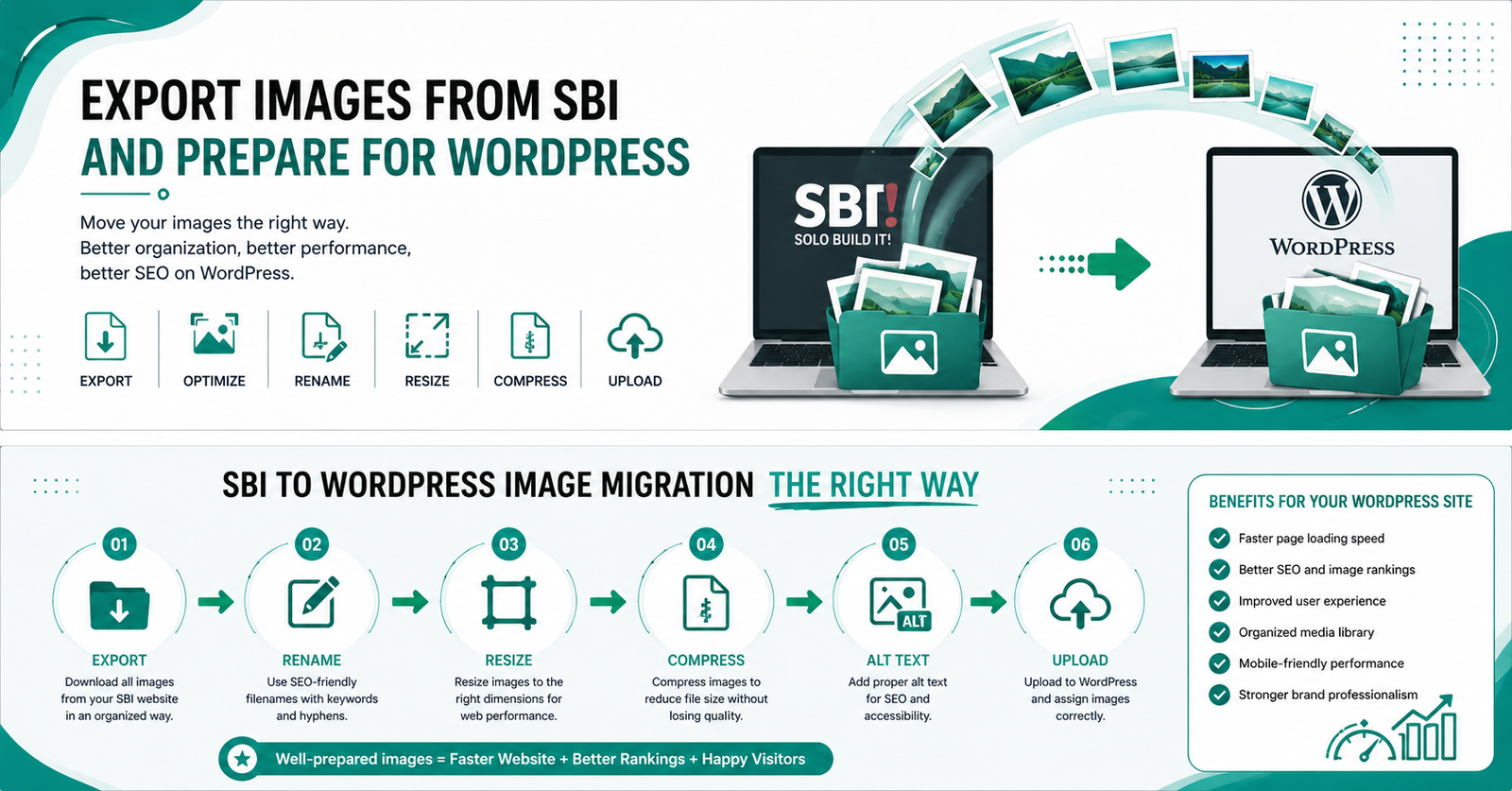
Export Images from SBI and Prepare for WordPress: Complete Guide for SBI Users
Moving your images from Solo Build It to WordPress shouldn’t be painful. Yet many SBI users struggle with downloading images, resizing them, renaming files, optimizing for web, and adding proper alt text. The process is time-consuming and error-prone.
In this comprehensive guide, you’ll learn exactly how to export images from SBI and prepare them perfectly for WordPress. Most importantly, discover how Bulk Snap from SBISnap.com turns this entire workflow into a fast, effortless process — saving you hours while delivering professional, SEO-optimized results.
Why SBI Users Need to Export Images to WordPress
Many Solo Build It users eventually migrate content, repurpose images across multiple sites, or want to use their high-quality SBI visuals on WordPress blogs, landing pages, or membership sites. However, SBI images are optimized for its own 100KB limit and structure, making direct use in WordPress suboptimal without proper preparation.
Common challenges include:
- Downloading images one by one from the SBI Image Library
- Losing SEO-friendly filenames during export
- Images being too small or incorrectly sized for WordPress
- Missing or poor alt text
- Inconsistent quality and file formats
This is where a smart bulk tool like Bulk Snap becomes invaluable.
The Smart Way with Bulk Snap: Export once → Bulk process → Ready for WordPress in minutes.
How to Manually Export Images from Solo Build It
Step-by-Step Manual Export Process
- Log in to your SBI account and go to the Image Library.
- Select the images you want to export (SBI allows bulk selection in some views).
- Download images individually or in small batches.
- Organize downloaded files into proper folders on your computer.
While doable for small projects, this becomes extremely tedious when handling hundreds of images from multiple articles.
Preparing SBI Images for WordPress: Key Requirements
1. Optimal Image Dimensions for WordPress
WordPress themes work best with:
- Featured images: 1200–2000px wide
- Content images: 700–1200px wide
- Thumbnails: 300–600px
2. File Size Optimization
Keep images under 200KB (ideally 100–150KB) for excellent loading speed. WordPress handles larger files than SBI but still rewards optimization.
3. SEO-Friendly Filenames
Use hyphenated, descriptive names: how-to-export-images-from-sbi-to-wordpress-guide.jpg
4. Compelling Alt Text
Write descriptive, keyword-rich alt text for accessibility and image SEO.
5. Correct Format Selection
JPEG for photographs, PNG for graphics with transparency, WebP for best compression.
Why Manual Preparation Takes Too Much Time
Most SBI users waste valuable time switching between tools — image editors, compressors, renaming utilities, and alt text writers. This breaks creative momentum and delays content publishing on WordPress.
Bulk Snap solves this by combining export preparation, optimization, renaming, and alt text generation into one powerful workflow designed for SBI users.
How Bulk Snap Makes Exporting & Preparing Images Easy
Bulk Snap from SBISnap.com is the ultimate image workflow tool built specifically for Solo Build It members. It goes far beyond basic compression.
- Smart Bulk Export Preparation: Helps organize and process images exported from SBI quickly.
- AI-Powered Optimization: Automatically resizes images to ideal WordPress dimensions while maintaining quality.
- Intelligent SEO Filenames: Generates descriptive, keyword-rich filenames perfect for WordPress SEO.
- Context-Aware Alt Text: Creates high-quality alt text based on your article topic or page context.
- Advanced Compression: Delivers web-ready files optimized for fast loading on WordPress.
- Bulk Processing: Handle hundreds of images from multiple SBI articles at once.
Real SBI User Experience
“I exported 120 images from my SBI site and used Bulk Snap to prepare them for my new WordPress blog. It took just 11 minutes. Perfect sizes, SEO filenames, and alt text. Saved me an entire weekend!”
— Priya Singh, Content Creator
Step-by-Step: Export from SBI and Prepare with Bulk Snap
- Export from SBI: Download your images from the Solo Build It Image Library.
- Upload to Bulk Snap: Visit SBISnap.com and upload the exported images in bulk.
- Set Context: Enter your WordPress article topic or keywords once.
- Choose Preset: Select “WordPress Optimized” setting.
- Process: Let AI resize, compress, rename files, and generate alt text.
- Review: Quickly check results and make minor tweaks if needed.
- Download: Get a clean zip file with WordPress-ready images.
- Upload to WordPress: Import directly into your Media Library.
The entire process is dramatically faster and produces consistently better results than manual methods.
Advanced Tips for SBI to WordPress Image Migration
- Use consistent naming conventions across both platforms
- Create image sitemaps for better indexing in WordPress
- Enable lazy loading and modern image formats (WebP/AVIF)
- Keep original high-resolution versions for future use
- Batch optimize older SBI content for your WordPress site
Bulk Snap supports all these advanced practices with minimal effort on your part.
Benefits of Proper Image Preparation When Moving to WordPress
Well-prepared images deliver:
- Faster website loading speeds
- Better Google rankings and image search traffic
- Improved user experience and lower bounce rates
- Stronger brand consistency
- Future-proof content assets
Common Mistakes to Avoid During SBI to WordPress Migration
- Uploading unoptimized large files
- Using generic filenames
- Ignoring alt text
- Not testing images on mobile devices
- Processing images one at a time
Let Bulk Snap help you avoid these pitfalls automatically.
Why Bulk Snap is the Best Choice for SBI Users
Unlike generic image tools, Bulk Snap was created specifically for Solo Build It members. It understands the unique constraints of SBI exports and delivers perfect WordPress-ready assets every time.
Whether you’re migrating one article or your entire SBI site, Bulk Snap scales effortlessly and consistently produces professional results.
Start Preparing Your SBI Images for WordPress with Bulk Snap →
Conclusion: Streamline Your SBI to WordPress Workflow
Exporting images from Solo Build It and preparing them for WordPress doesn’t have to be a headache. With the right knowledge and tools, you can turn this task into a quick, efficient part of your content strategy.
Bulk Snap from SBISnap.com eliminates the manual drudgery by combining powerful bulk processing, intelligent AI optimization, SEO filenames, and smart alt text generation — all tailored for SBI users transitioning to or using WordPress.
Stop wasting time on repetitive image tasks. Reclaim your hours, improve your image quality, and focus on creating great content that grows your online presence.
Ready to make image migration effortless? Visit SBISnap.com today and experience the easiest way to export images from SBI and prepare them perfectly for WordPress.