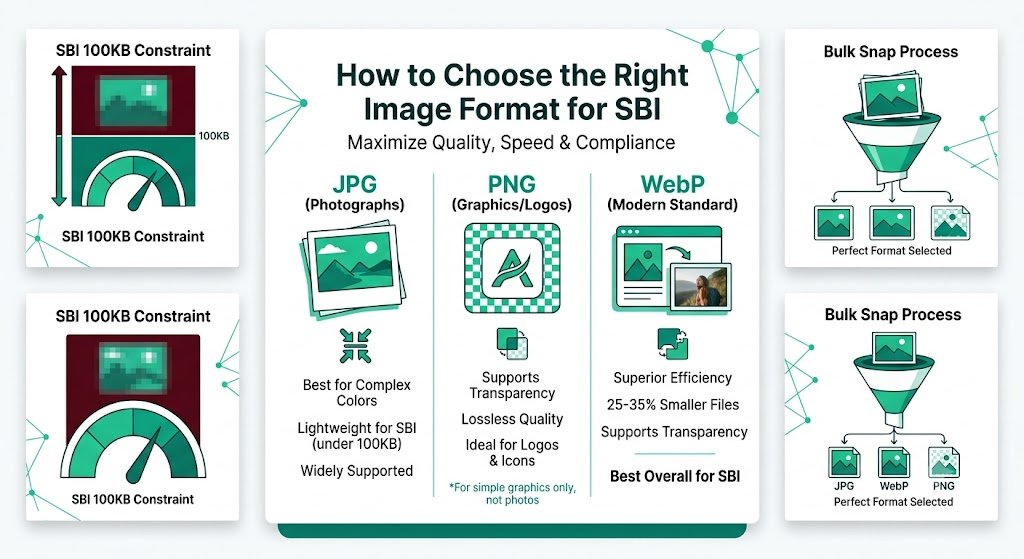
How to Choose the Right Image Format for SBI: Maximize Quality, Speed & Compliance
Choosing the wrong image format in Solo Build It can sabotage your website’s performance and visual quality. Many SBI users default to JPEG or PNG without understanding the differences, leading to oversized files, upload rejections under the 100KB limit, blurry photos, or lost transparency. The right format choice is one of the simplest yet most powerful ways to keep images looking sharp while staying lightweight.
In this complete guide, you’ll learn exactly **how to choose the right image format for SBI**. Discover clear rules for JPEG, PNG, WebP, and when each one shines. Most importantly, see how Bulk Snap from SBISnap.com — the ultimate AI-powered bulk image optimization tool built exclusively for Solo Build It users — automatically selects and converts to the best format for every image while compressing under 100KB, generating SEO filenames, creating natural alt text, and handling bulk processing, making perfect format decisions effortless.
Why Image Format Choice Matters So Much in Solo Build It
Solo Build It enforces a strict 100KB per image limit to ensure fast loading. Your format choice directly affects:
- Final file size and upload success
- Visual quality after compression
- Support for transparency (important for logos and graphics)
- Loading speed and Core Web Vitals
- Overall professional appearance of your site
Using the wrong format forces heavier compression, which often destroys quality. Choosing wisely lets you keep images beautiful while staying well under the limit.
The Smart Solution: Bulk Snap analyzes each image and automatically selects the optimal format while meeting all SBI requirements.
The Main Image Formats Explained for SBI Users
1. JPEG (or JPG)
Best for: Photographs, realistic images, complex scenes with many colors.
Strengths: Excellent compression for photos, widely supported.
Weaknesses: No transparency, quality loss with aggressive compression.
Ideal Use in SBI: Most content photos, product images, lifestyle shots.
2. PNG
Best for: Graphics, logos, icons, images that need transparency.
Strengths: Lossless quality, supports transparency (alpha channel).
Weaknesses: Much larger file sizes for photos.
Ideal Use in SBI: Logos, icons, screenshots with text, graphics with transparent backgrounds.
3. WebP
Best for: Modern websites that want smaller files with high quality.
Strengths: 25–35% smaller than JPEG/PNG with similar or better quality, supports transparency.
Weaknesses: Slightly less universal support on very old browsers (rare in 2026).
Ideal Use in SBI: Almost any image when you want maximum efficiency.
4. Other Formats to Avoid
BMP, TIFF, and unoptimized high-quality originals are too large for SBI and should never be uploaded directly.
Common Image Format Mistakes in Solo Build It
- Using PNG for photographs (results in huge files or heavy quality loss)
- Using JPEG for logos or graphics that need transparency
- Saving everything at maximum quality (100%) instead of the optimal 70–85% range
- Never considering WebP for better efficiency
- Mixing formats randomly without a consistent strategy
How Bulk Snap Automatically Chooses the Right Image Format
Bulk Snap from SBISnap.com removes the guesswork. Its AI examines each image’s content type, color complexity, and need for transparency, then selects and converts to the best format while ensuring the final file stays under 100KB with excellent quality.
Key Format Intelligence Features:
- Content-Aware Format Selection: JPEG for photos, PNG for graphics, WebP when optimal
- Smart Quality Balancing: Finds the sweet spot between size and visual excellence
- Transparency Detection: Preserves alpha channels when needed
- Bulk Consistency: Applies the right decision to hundreds of images at once
- Full Optimization Package: Also handles resizing, SEO filenames, and alt text
Step-by-Step: Choosing the Right Format with Bulk Snap
- Collect Your Images: Gather raw photos and graphics for your article.
- Upload to Bulk Snap: Visit SBISnap.com and upload the batch.
- Provide Context: Enter your article title or main keywords.
- Select SBI Preset: Choose the optimization setting designed for Solo Build It.
- Run Processing: Let AI select the best format, compress intelligently, and optimize everything.
- Download Ready Files: Get perfectly formatted, lightweight images.
- Upload to SBI: Import with confidence and enjoy better speed and quality.
Real Results from SBI Users
Success Story
“I used to struggle with choosing the right image format and often ended up with either large files or poor quality. Bulk Snap now decides the best format automatically and keeps everything under 100KB while looking sharp. My site is faster and more professional. This tool has been a huge time-saver!”
— Elena Petrova, Russia
Advanced Tips for Image Format Success in SBI
- Prefer WebP when possible for modern efficiency
- Use PNG only when transparency is truly needed
- Aim for 70–85% JPEG quality as the sweet spot
- Test a few images on mobile after optimization
- Regularly re-optimize older library images with better formats
Format Comparison for Solo Build It
| Format | Best For | File Size Efficiency | Transparency |
|---|---|---|---|
| JPEG | Photos | Excellent | No |
| PNG | Graphics & Logos | Poor for photos | Yes |
| WebP | Most modern use cases | Best overall | Yes |
Conclusion: Choose Formats Smartly and Let Bulk Snap Handle the Rest
Knowing how to choose the right image format for SBI is a foundational skill that improves loading speed, visual quality, and upload success. The wrong format forces painful compromises; the right one lets you keep professional results while staying comfortably under 100KB.
While you can learn the rules and apply them manually, doing so consistently at scale is slow. Bulk Snap from SBISnap.com makes perfect format selection automatic. It intelligently chooses JPEG, PNG, or WebP for each image, compresses under 100KB while preserving quality, creates SEO filenames, generates natural alt text, and processes large batches — all in one tool designed specifically for Solo Build It users.
Stop guessing formats and fighting file size limits. Let Bulk Snap optimize your images the smart way so you can focus on creating great content that ranks and converts.
Ready to choose the right image format effortlessly? Visit SBISnap.com today and experience the easiest way to optimize images for Solo Build It.